Clean up resources
We will take the following steps to delete the resources we created in this exercise.
Delete S3 bucket
Go to S3 service management console
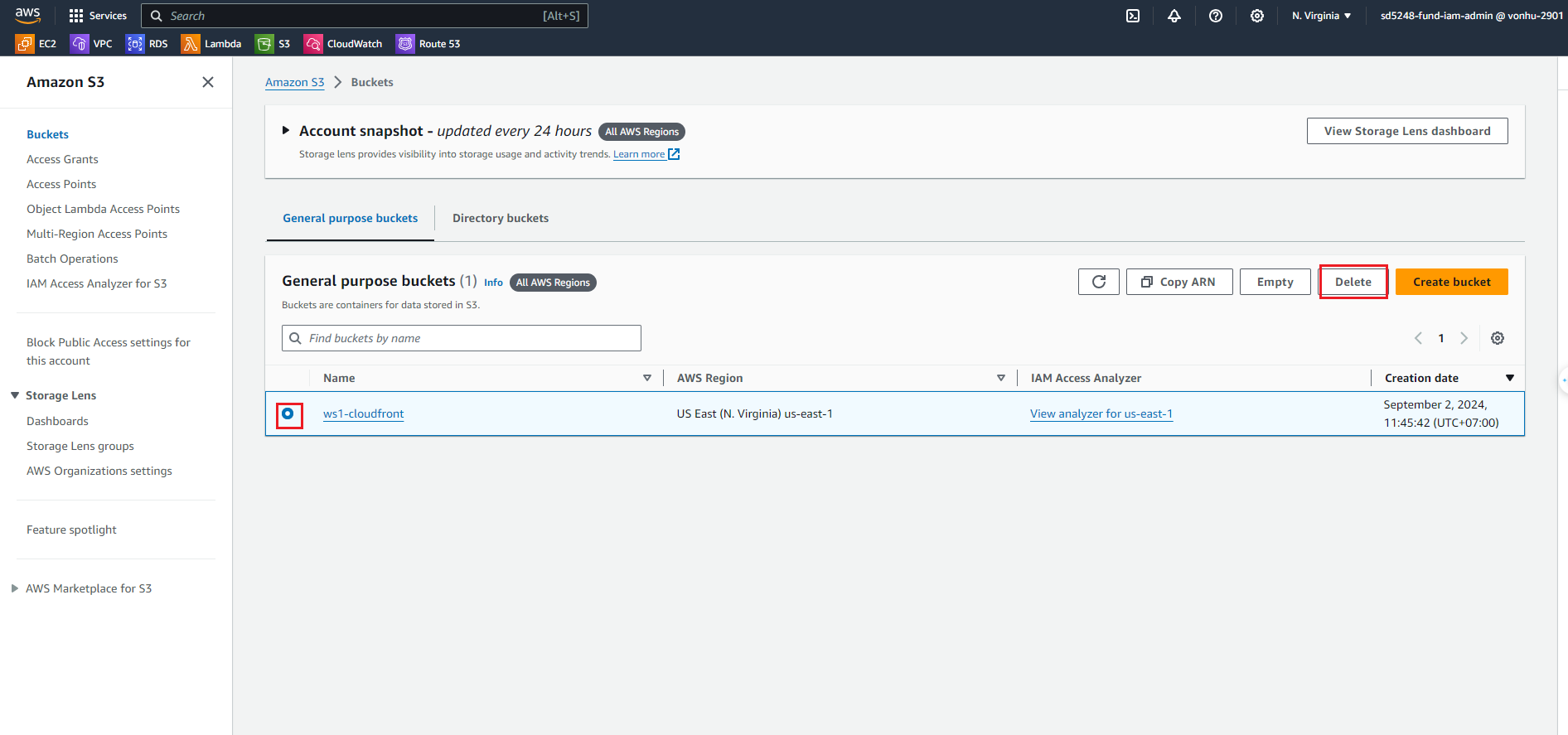
Click on the S3 bucket we created for this lab. (Example: ws1-cloudfront)
Click Empty.
Enter
permanently delete, then click Empty to proceed to delete the object in the bucket.Click Exit.
After deleting all objects in the bucket, click Delete
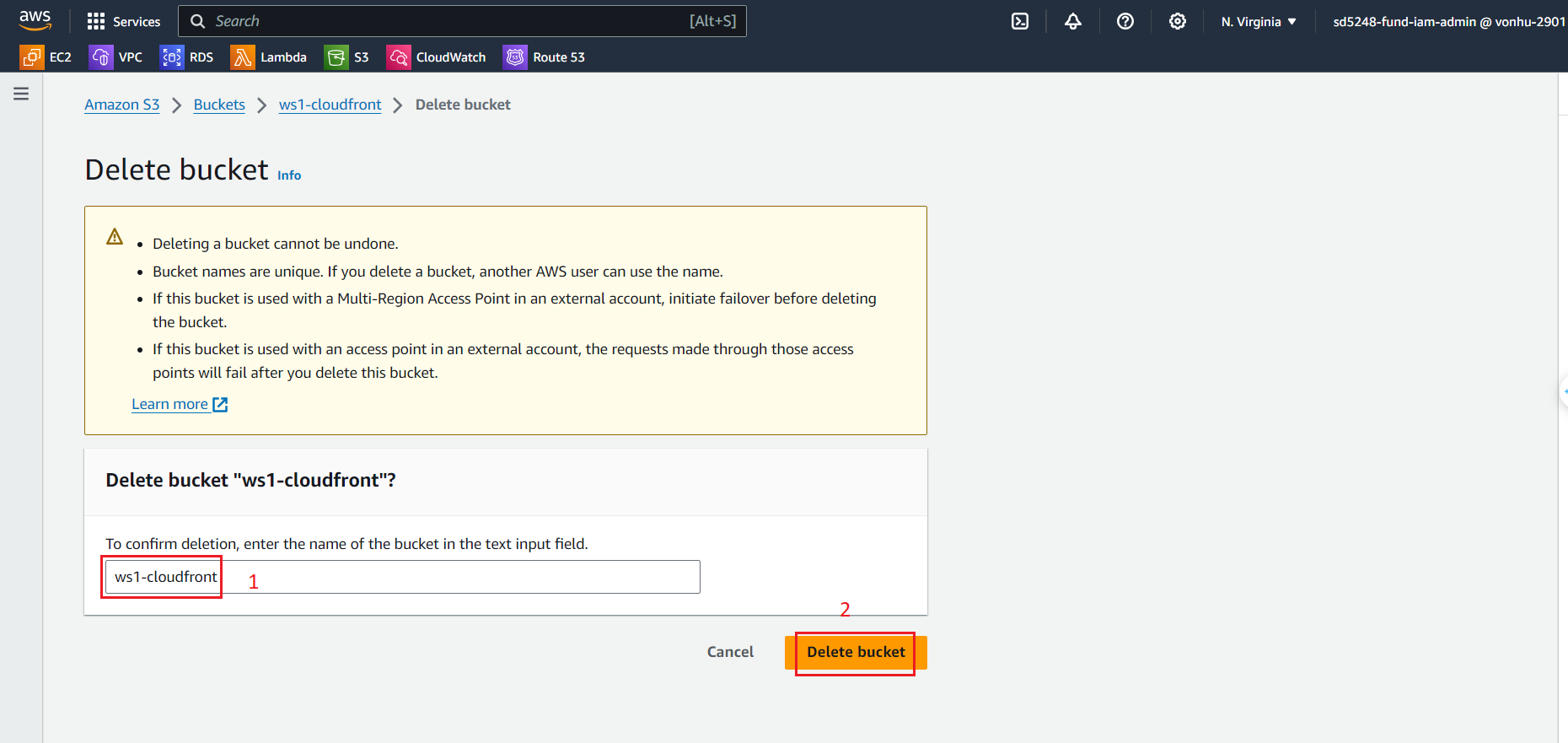
Enter the name of the S3 bucket, then click Delete bucket to proceed with deleting the S3 bucket.
Delete CloudFront
Go to Amazon CloudFront service management console
Click on the Distributions we created for this lab. (Example: E2YGKQ4RKCO9LA)
Click Disable.
Pop-up will displayed, then click Disable to proceed to disable it.
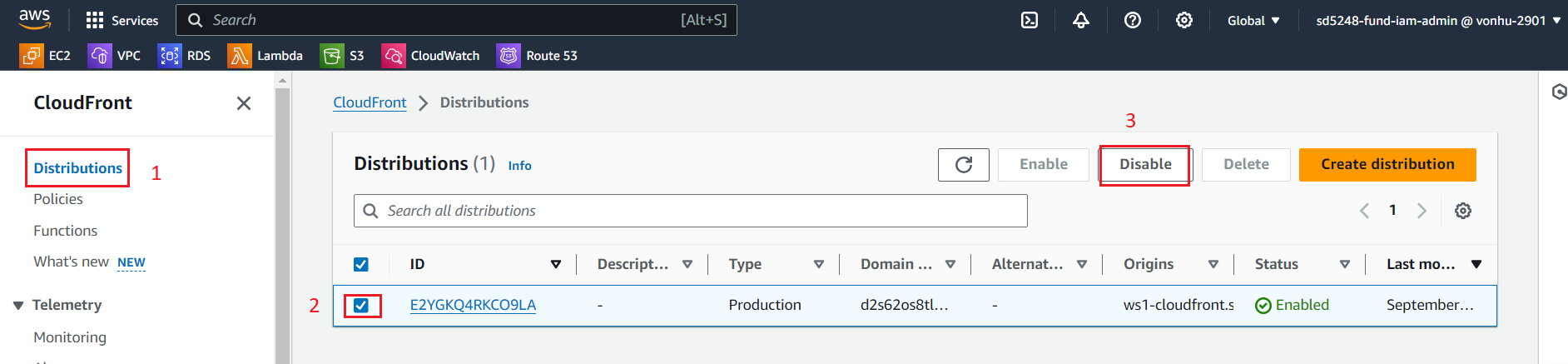
Click on Distributions.
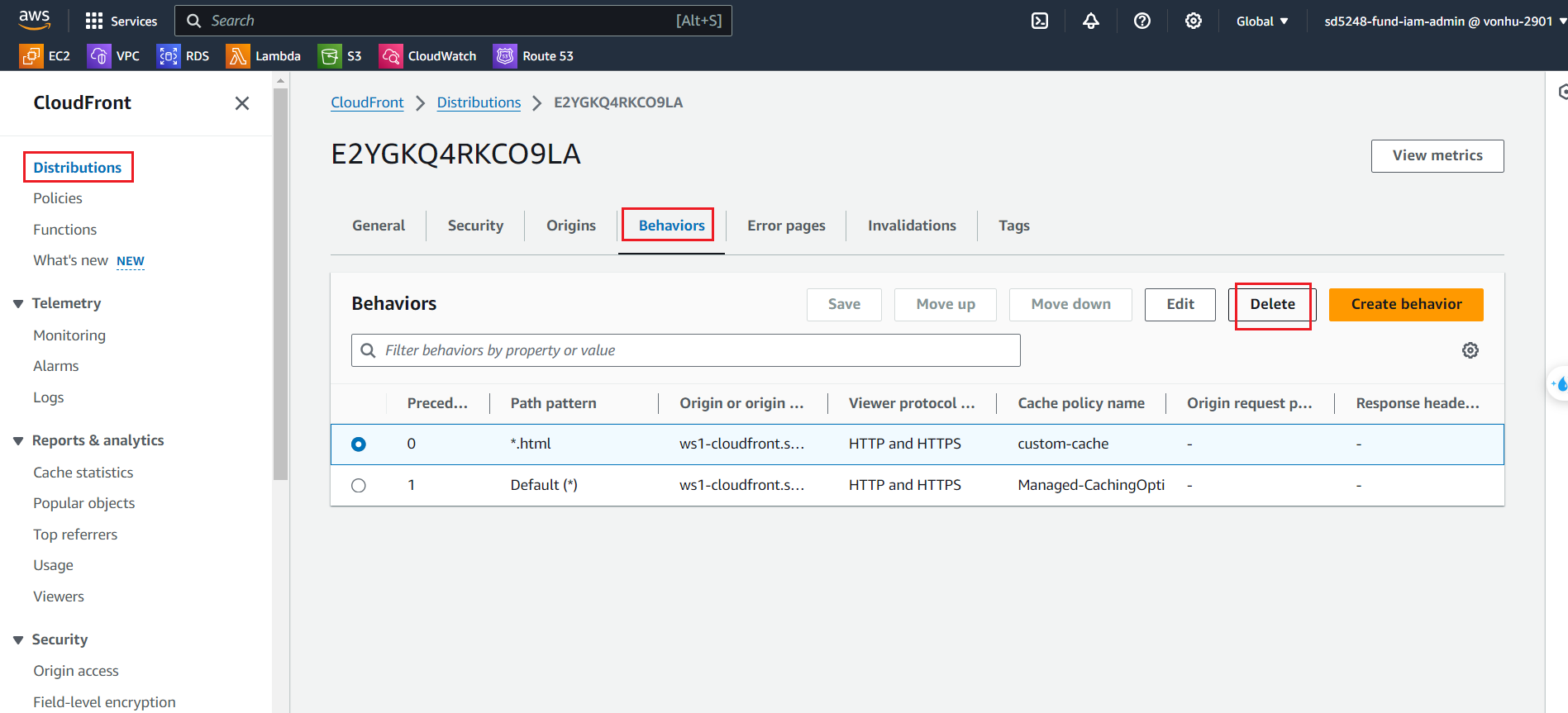
Click Behavior tab.
Click Delete.
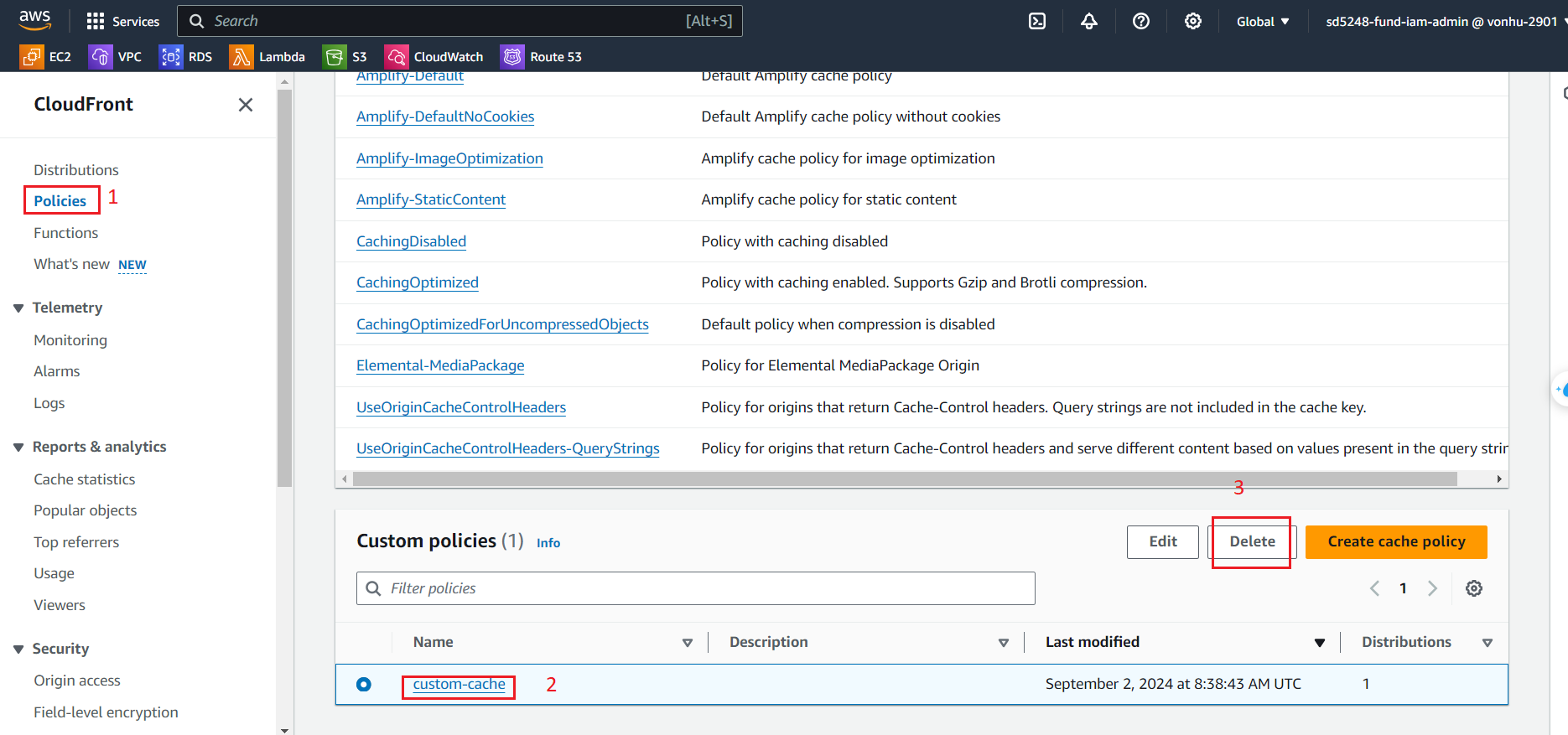
Click on Policies tab.
Click Custom policies.
Click Delete.
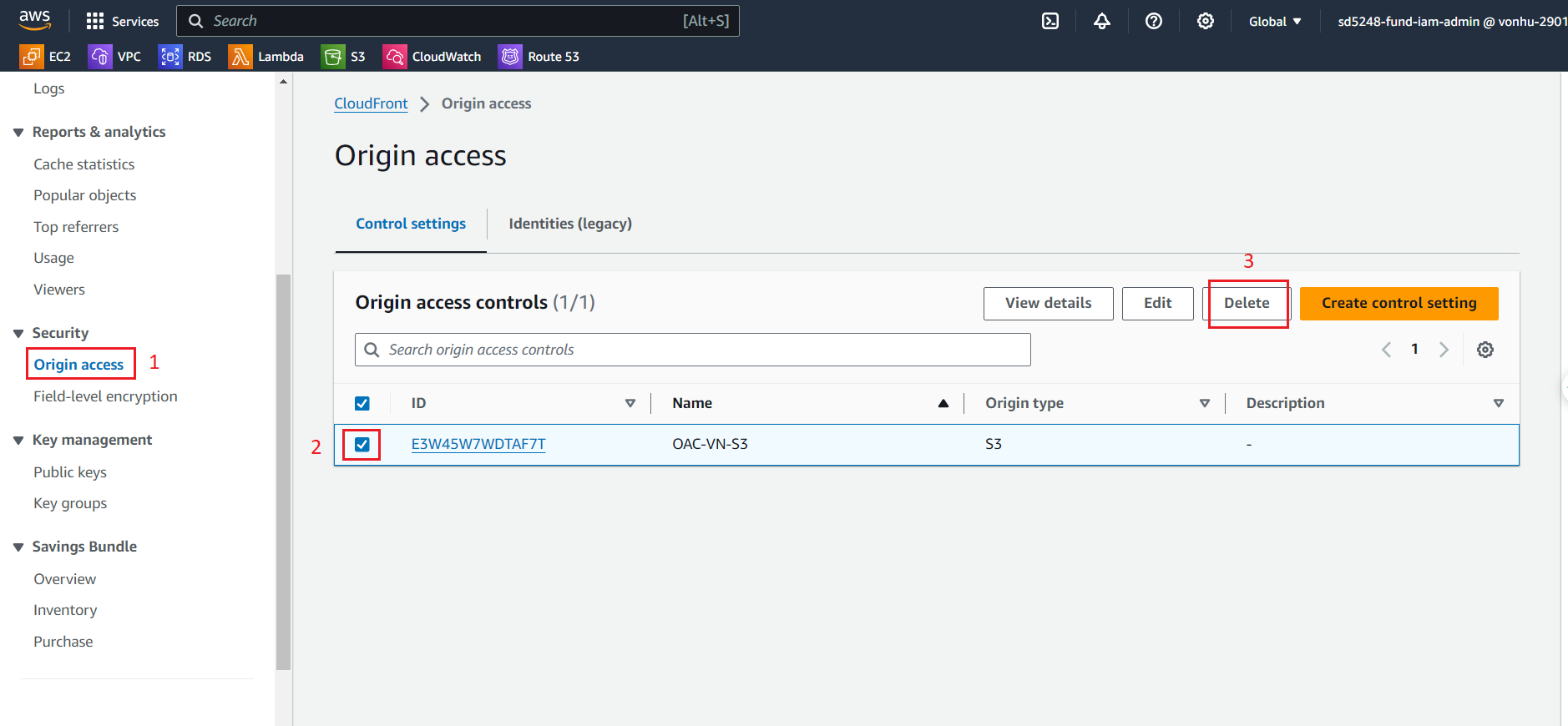
Click on Origin access tab.
Select your origin.
Click Delete.
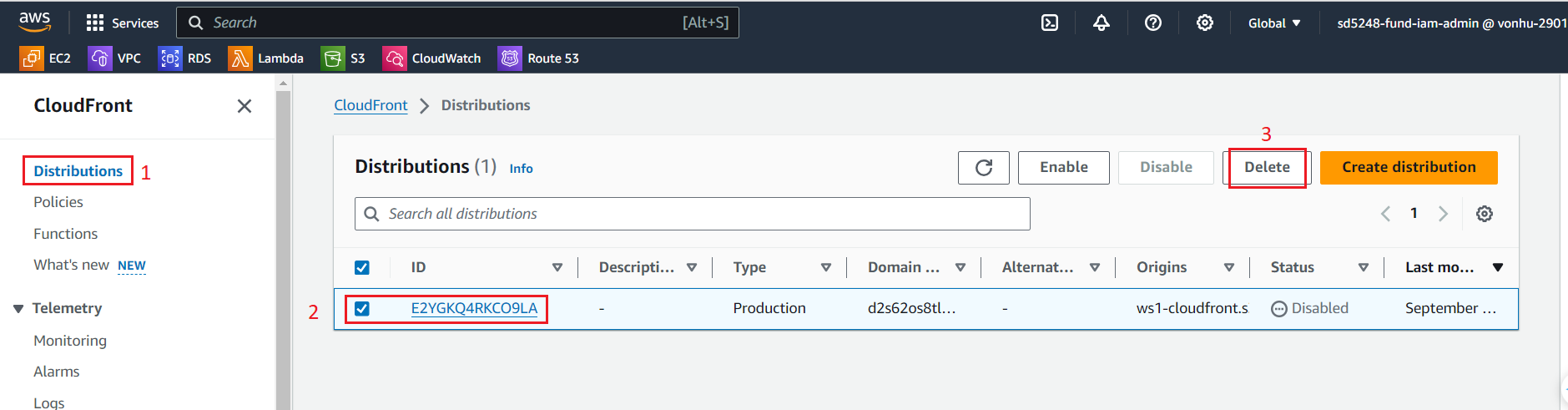
Finally, back to Distributions
Select your distribution
Click Delete.
Thanks for watching!!!