Grant CloudFront distribution permission to read the S3 origin
Delete Bucket policy from the S3 bucket and enable block public access.
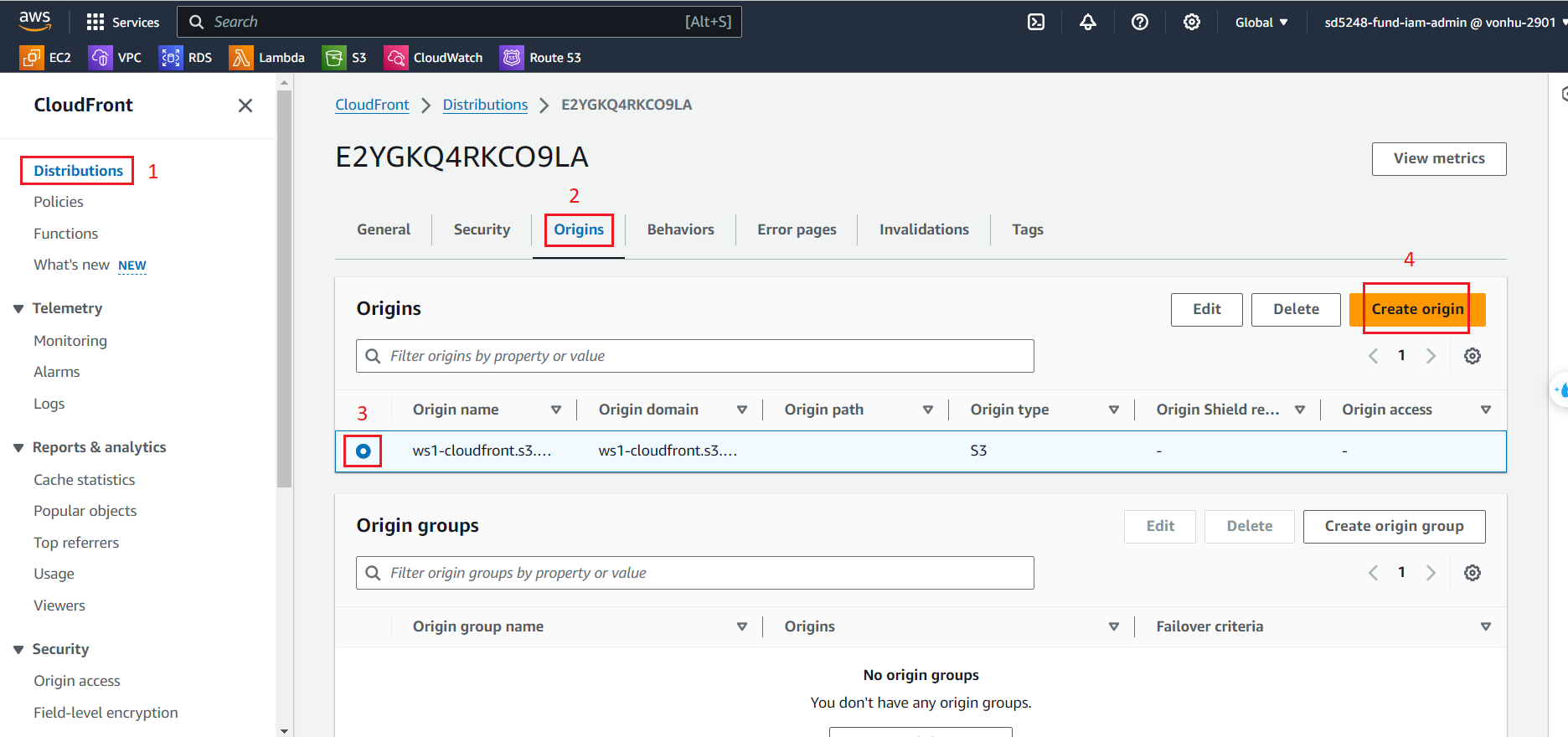
- Click on Distribution and click on your distribution.
- Click on Origins.
- Choose your origin.
- Click on Edit.
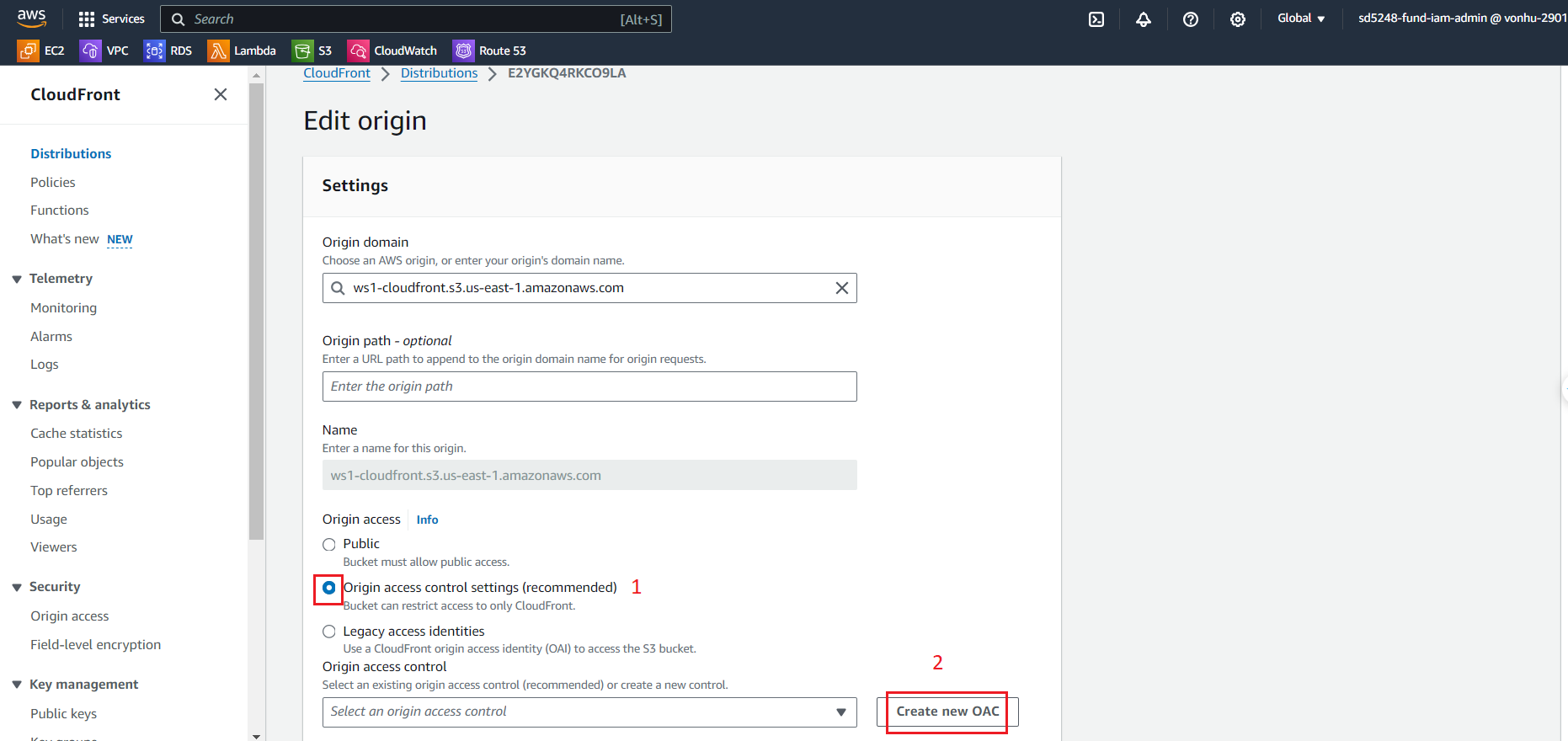
- At the Edit origin page
- Select Origin access control settings (recommended).
- Click on Create new OAC.
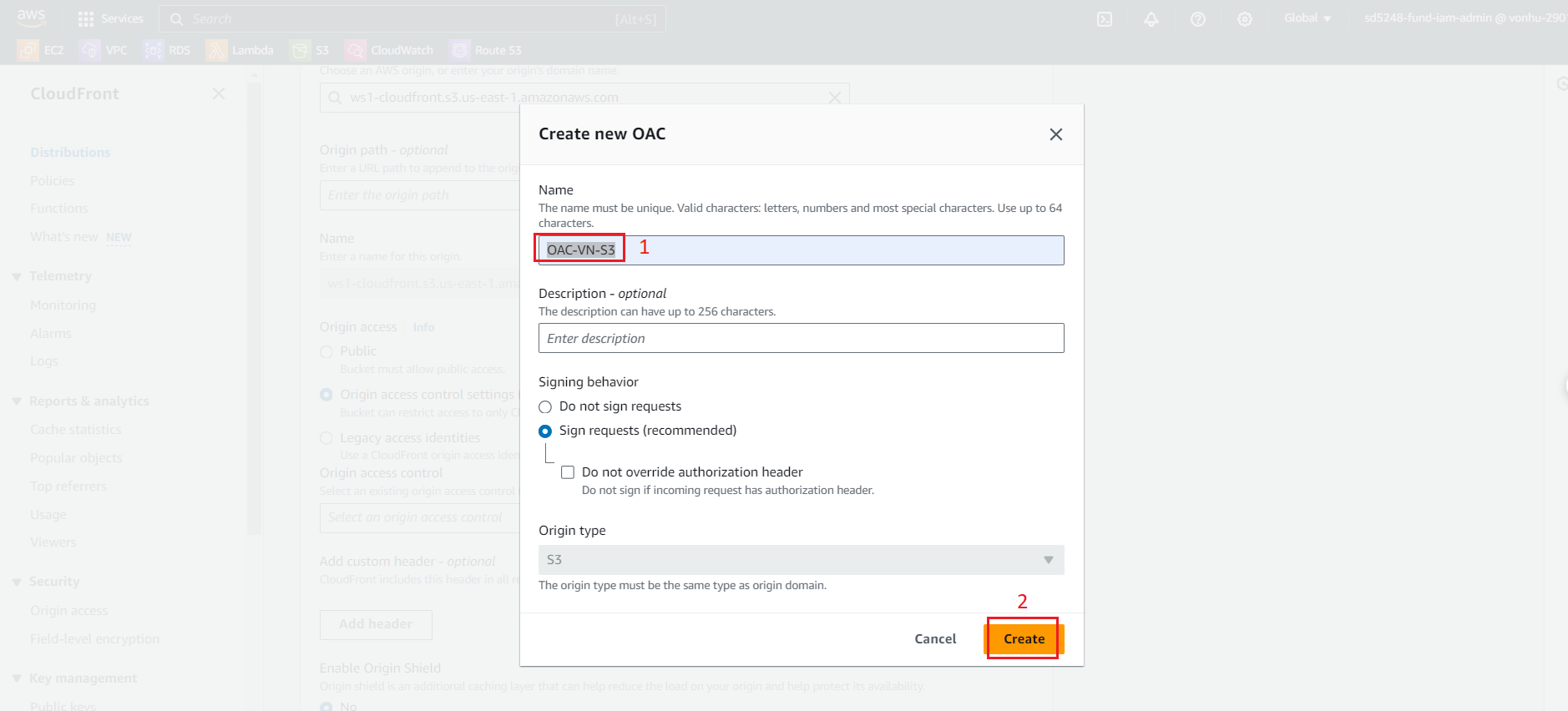
- Create Control setting, enter Name:
OAC-VN-S3. - Click on Create.
- Click on Save changes.
Create successfully!!!
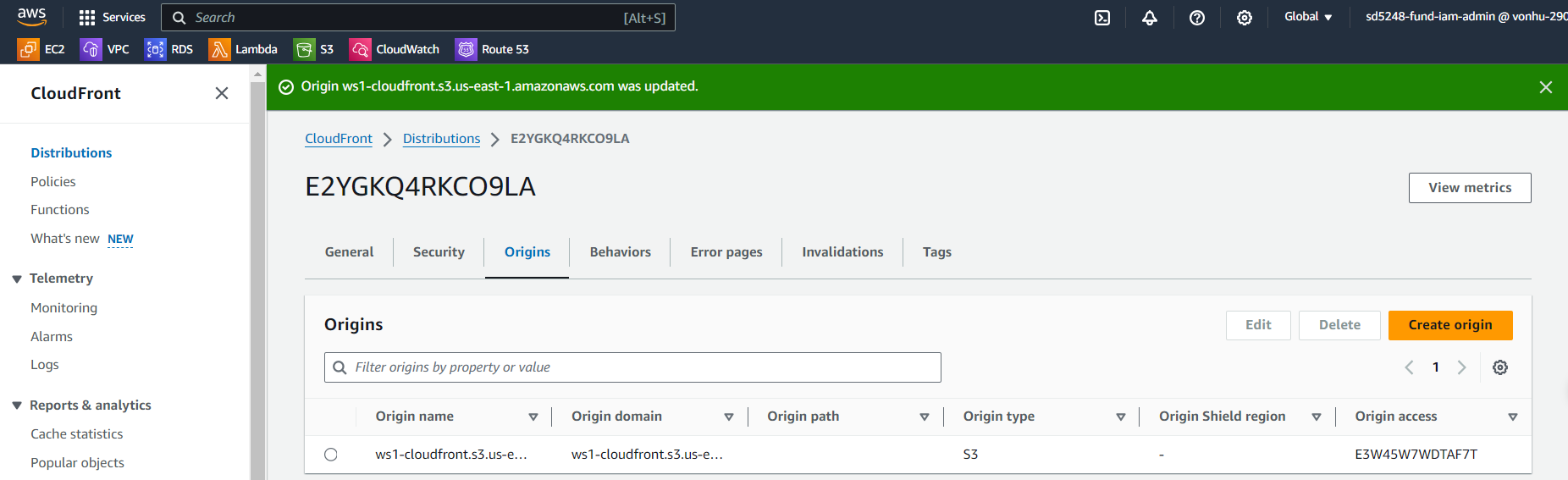
Giving CloudFront permission to access the S3 bucket.
- Go to CDN, click Edit of origin
- Click on “Copy policy”.
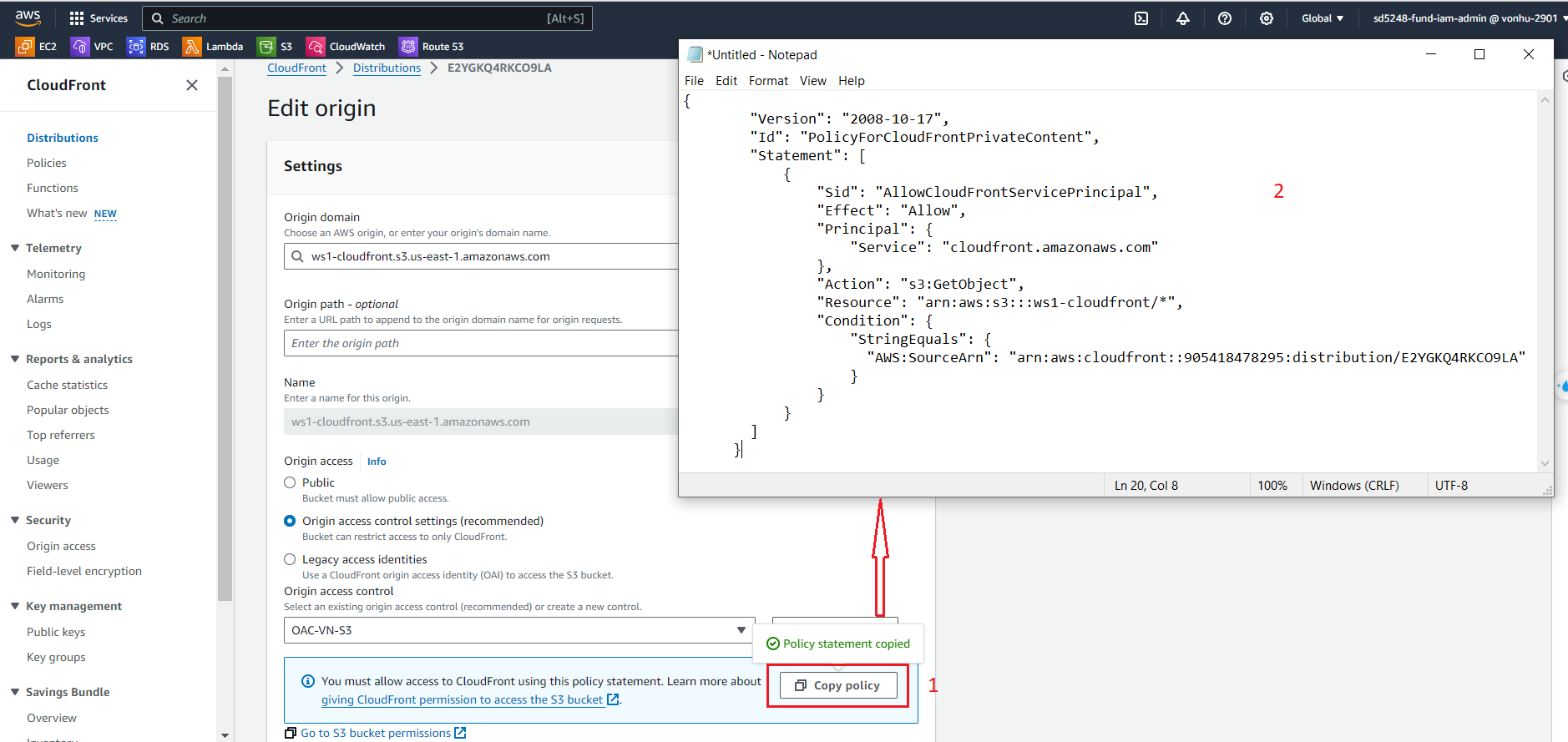
- Go to S3 bucket, paste this code to Bucket Policy in S3.
{
   "Version": "2008-10-17",
        "Id": "PolicyForCloudFrontPrivateContent",
        "Statement": [
           {
              "Sid": "AllowCloudFrontServicePrincipal",
                "Effect": "Allow",
                "Principal": {
                   "Service": "cloudfront.amazonaws.com"
                },
                "Action": "s3:GetObject",
                "Resource": "arn:aws:s3:::ws1-cloudfront/*",
                "Condition": {
                   "StringEquals": {
                      "AWS:SourceArn": "arn:aws:cloudfront::905418478295:distribution/E2YGKQ4RKCO9LA"
                    }
                }
            }
        ]
      }
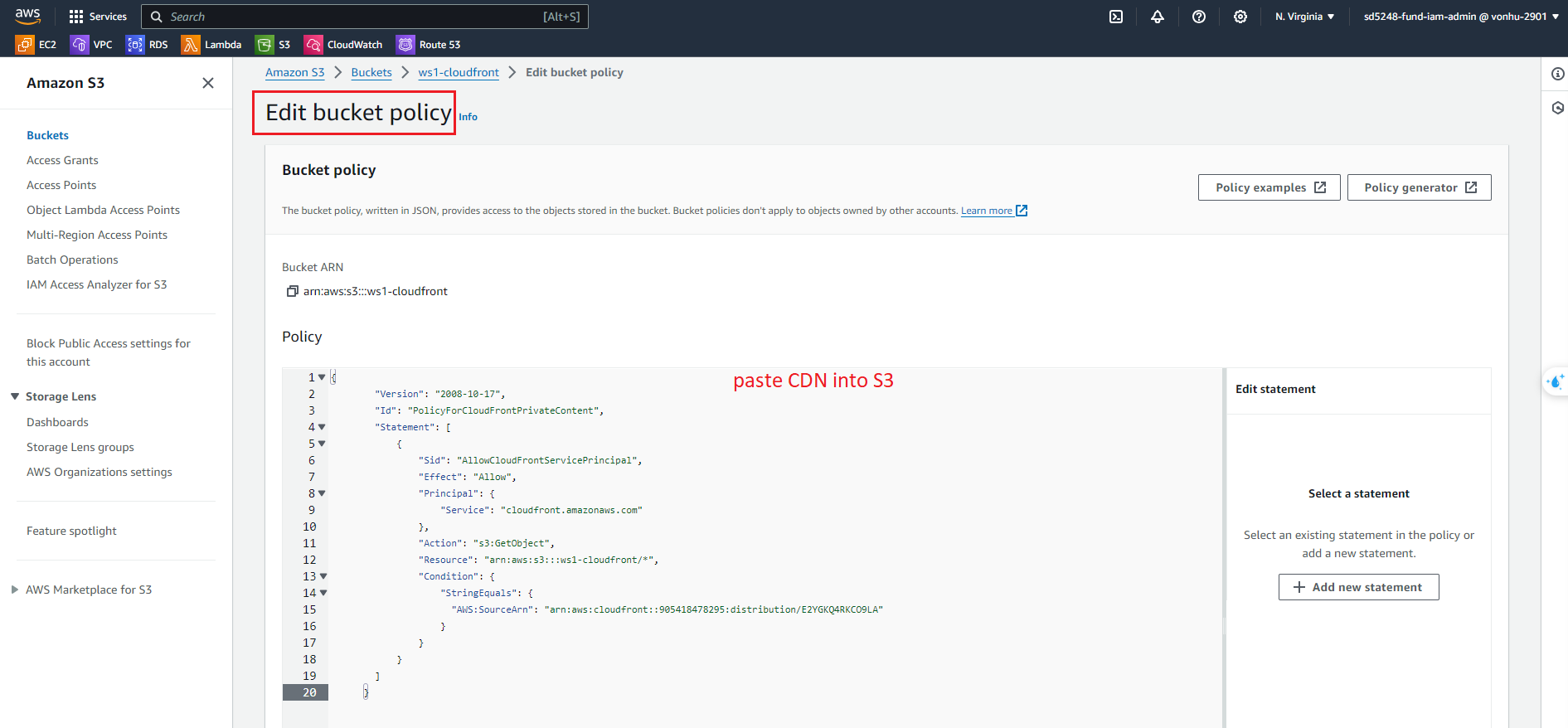
- Click on Save changes
Now if we access page from the S3 Object URL, we still cannot access because we only allow access from CloudFront.
- Try opening link S3:
https://ws1-cloudfront.s3.amazonaws.com/test.html
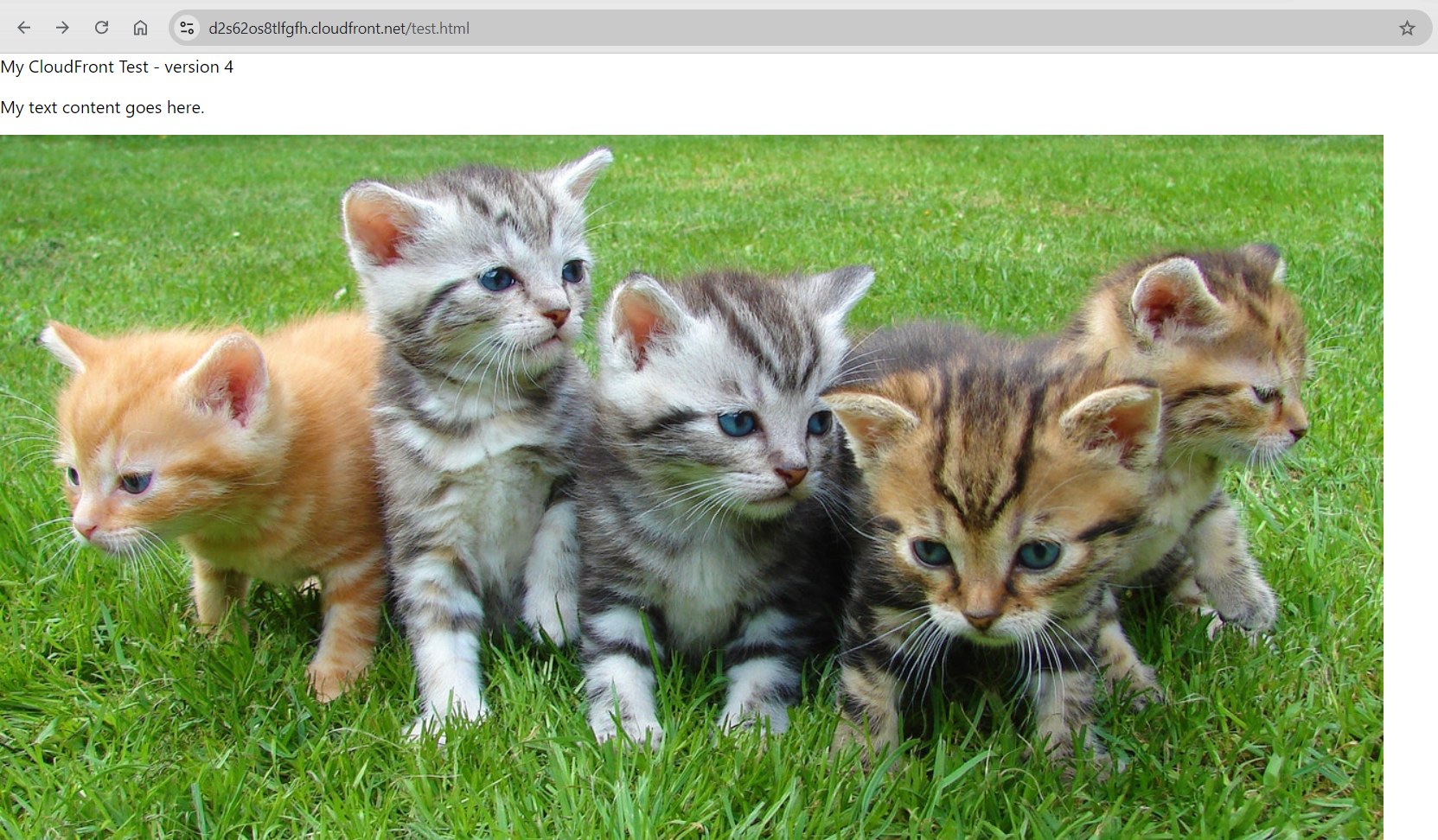
We can access test.html from CloudFront.
- Try opening link CDN:
https://d2s62os8tlfgfh.cloudfront.net/test.html