Enable block public access
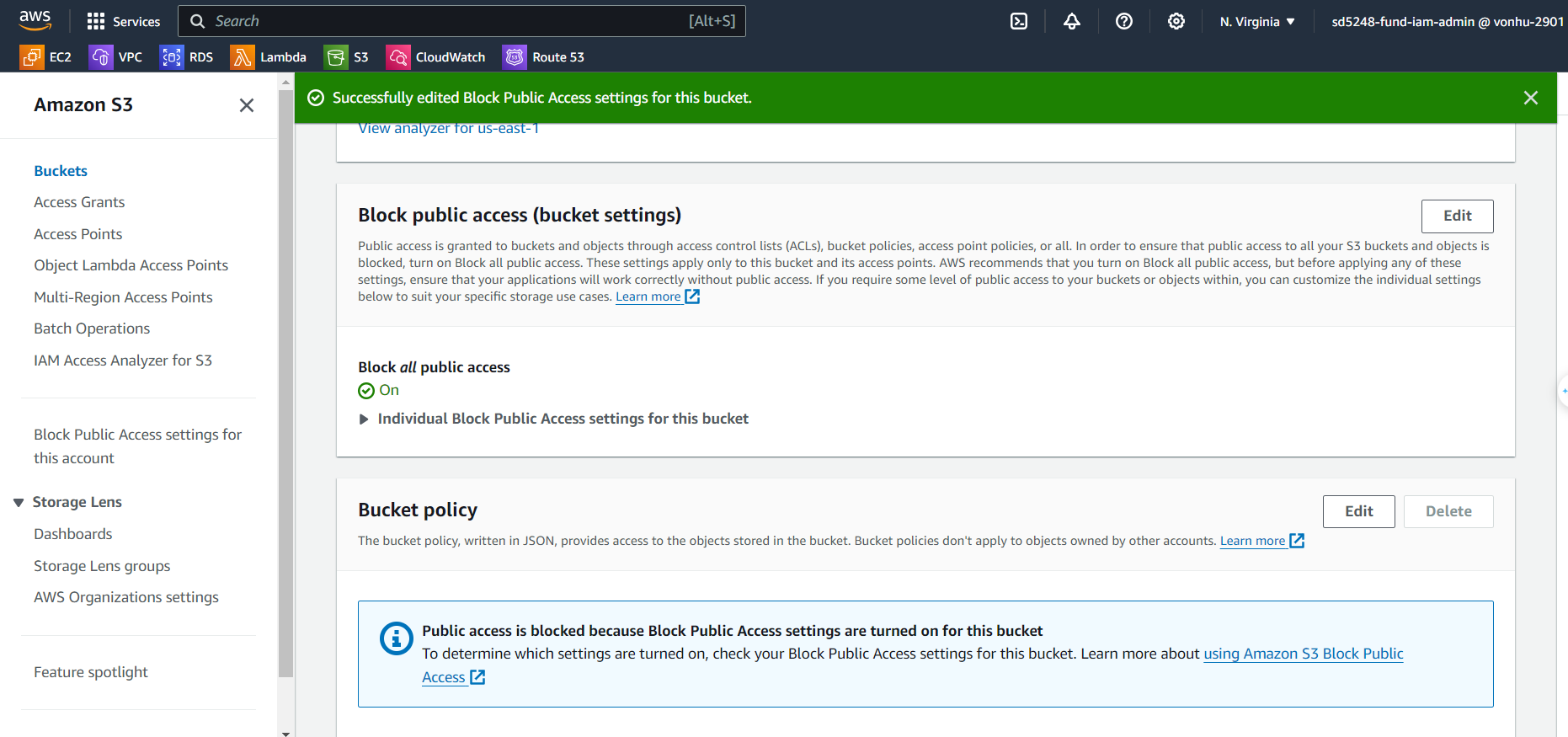
Delete Bucket policy from the S3 bucket and enable block public access.
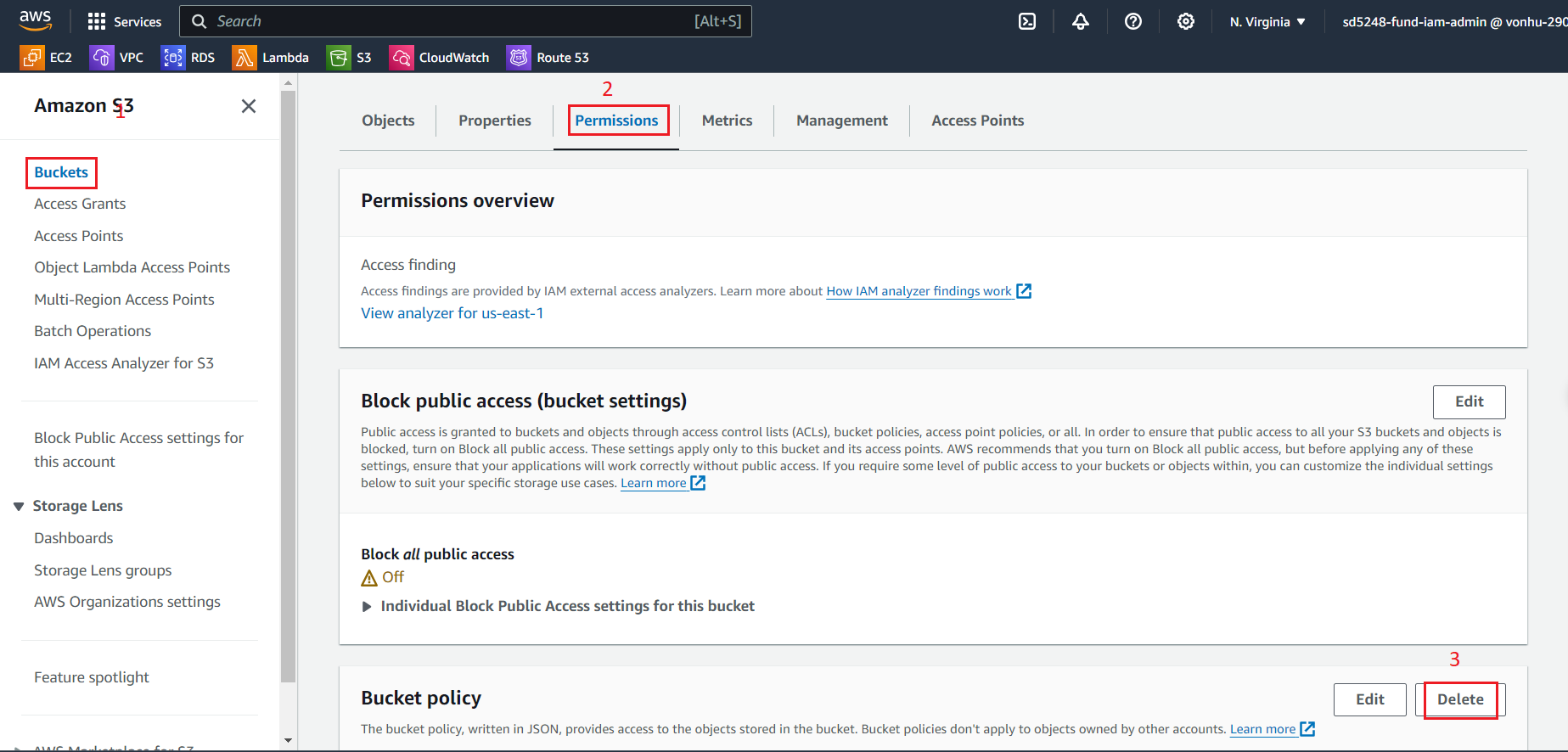
Delete Bucket Policy
- Select your bucket and in the Permission tab
- Select Bucket Policy
- Click Delete to remove the bucket policy
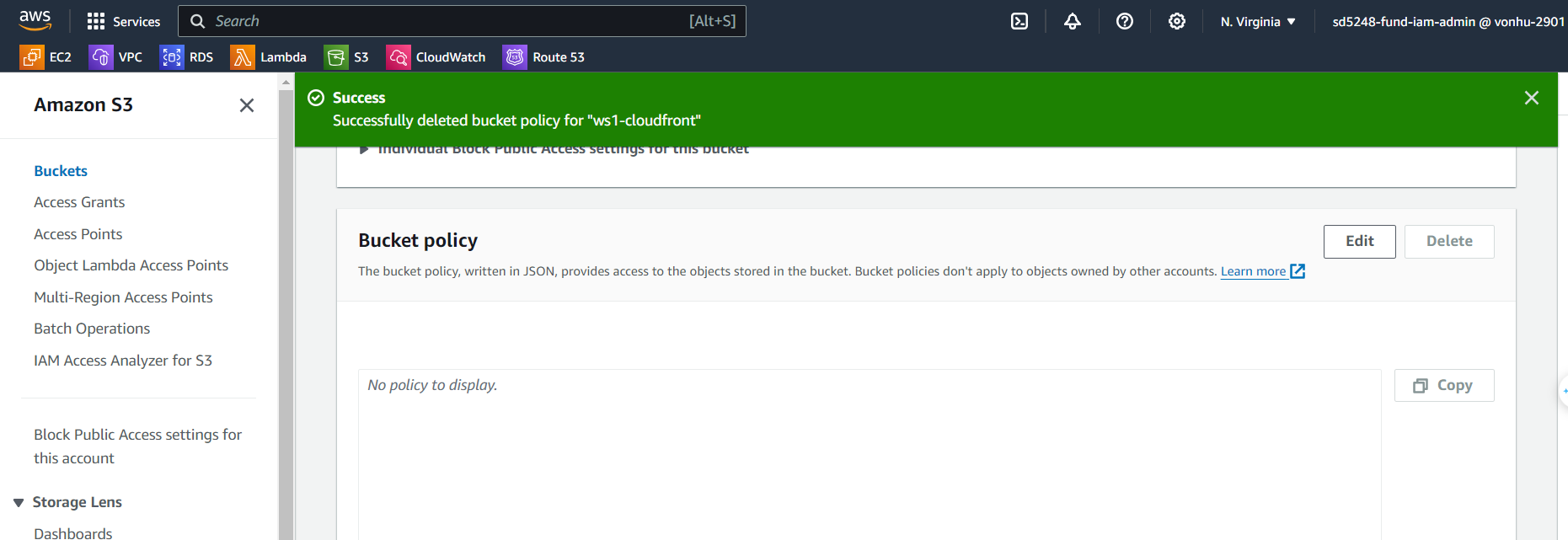
The Bucket Policy should be empty now.
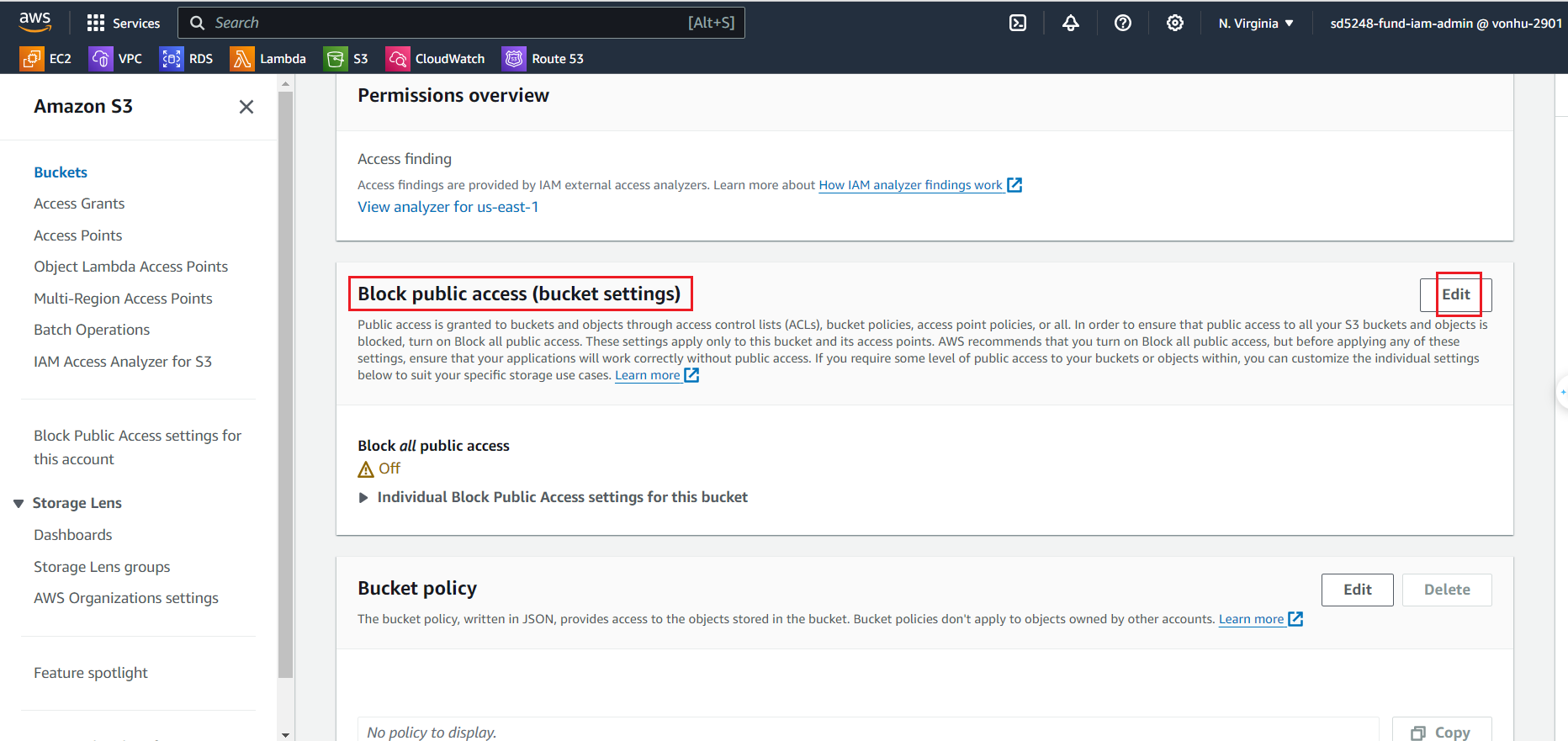
Enable Block public access
Select Block public access and turn on Block all public access setting.
Choose Edit.
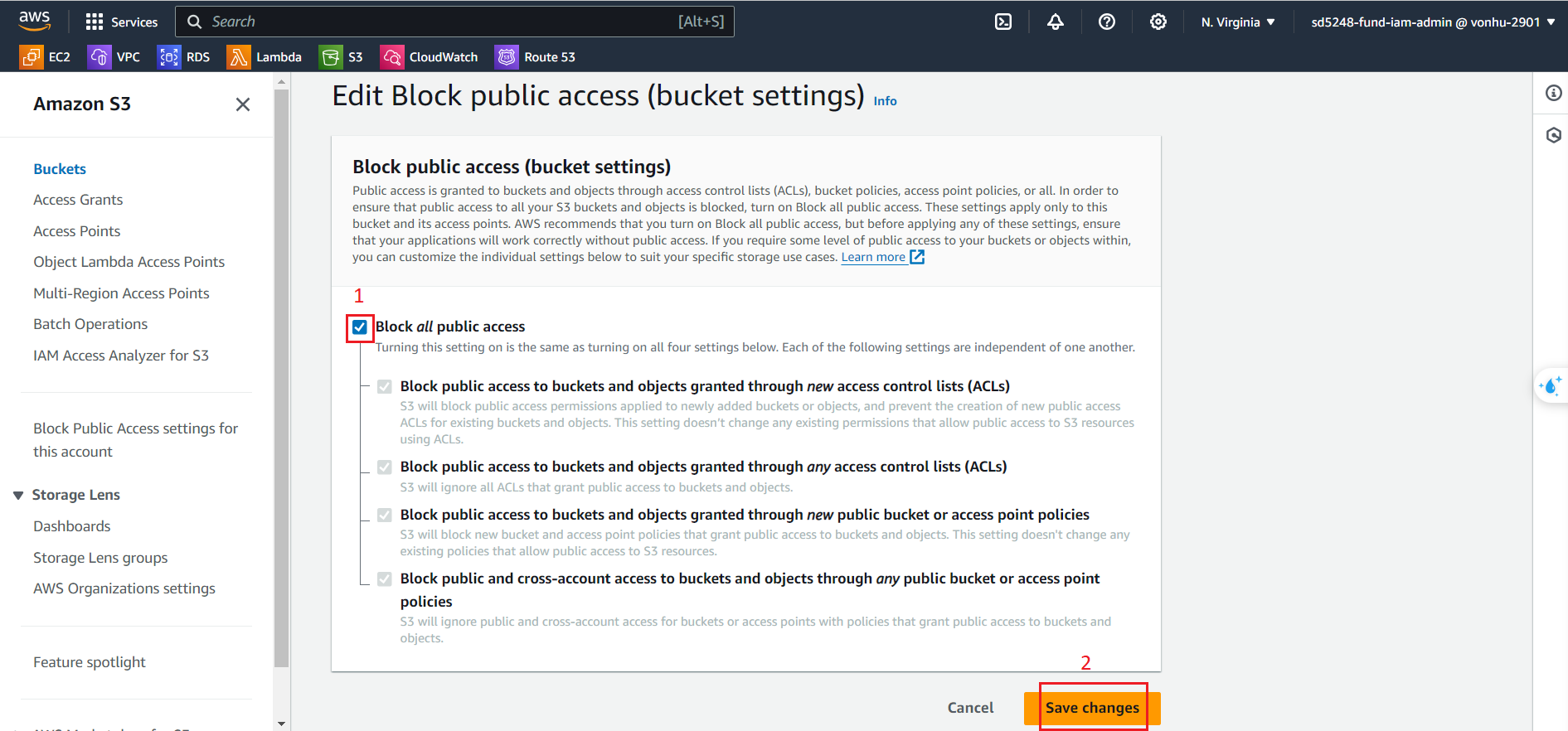
Tick on Block all public access.
Click on Save changes.
Testing on browser
Now if you try to visit the HTML page, you will get an Access Denied error as anonymous access.
Try opening link S3:
https://ws1-cloudfront.s3.amazonaws.com/test.html
Try opening link CDN:
https://d2s62os8tlfgfh.cloudfront.net/test.html