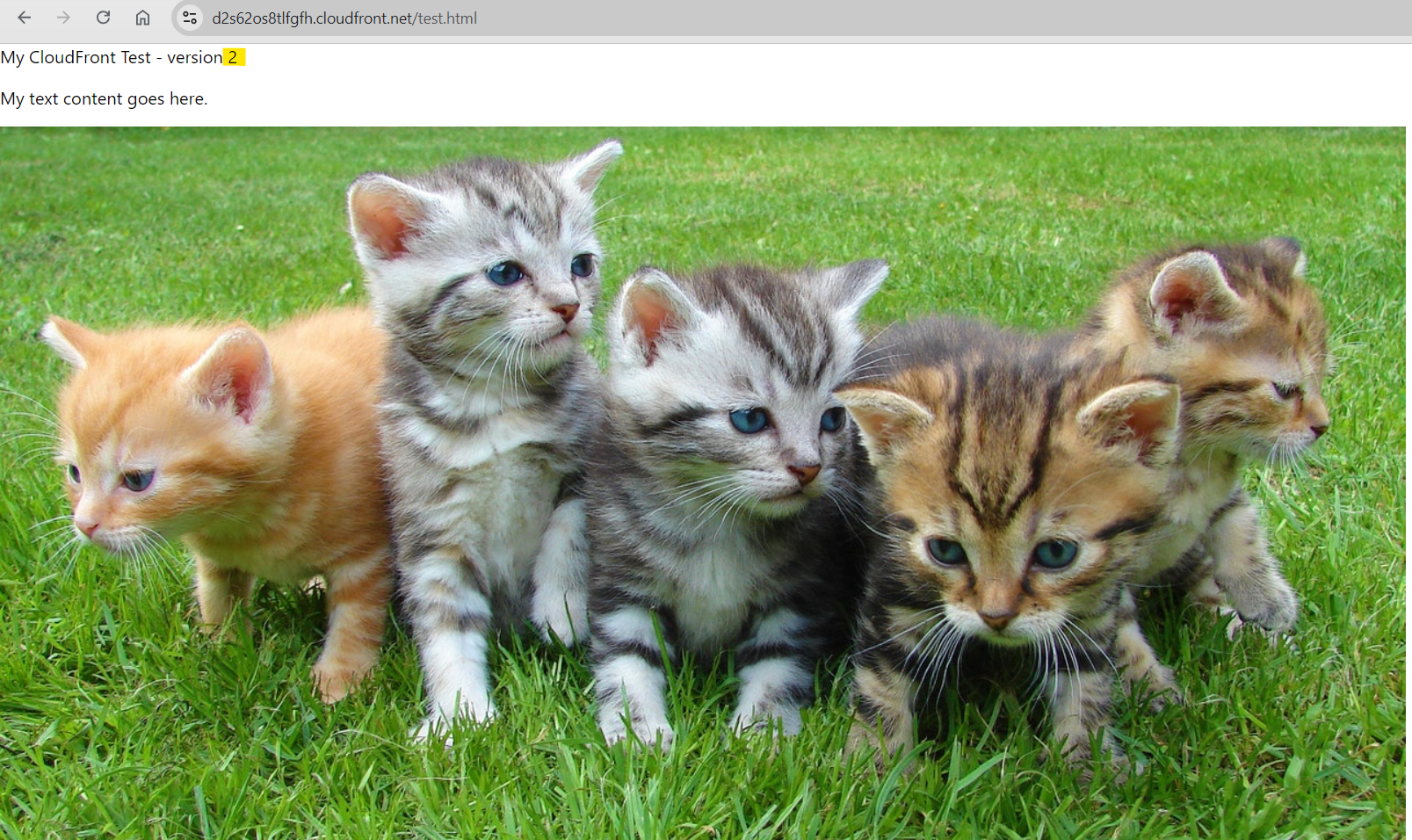
Configure cache
Configure how long the content is cached at the browser
Create a Cache Policy
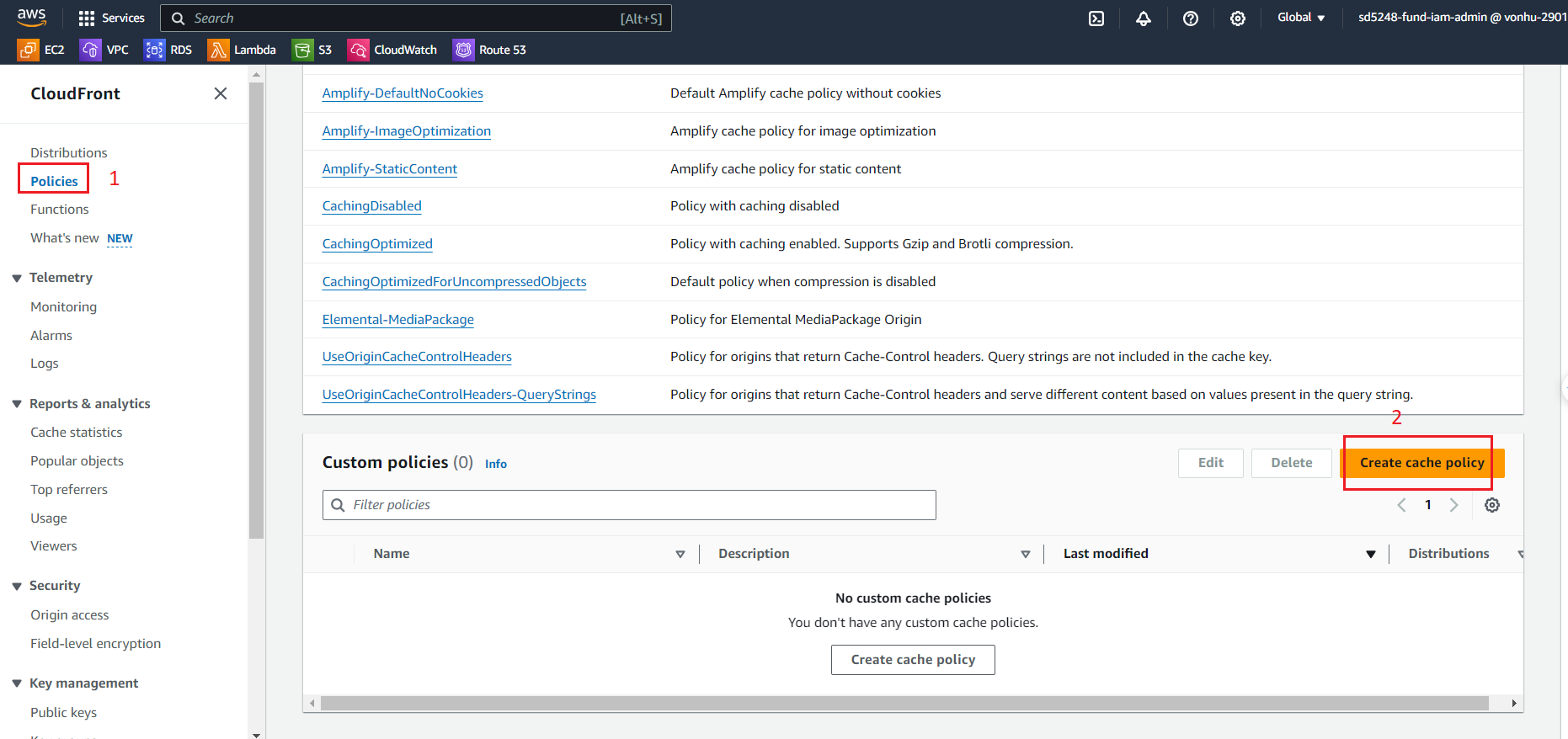
- Click on Policies.
- Click on Create cache policy.
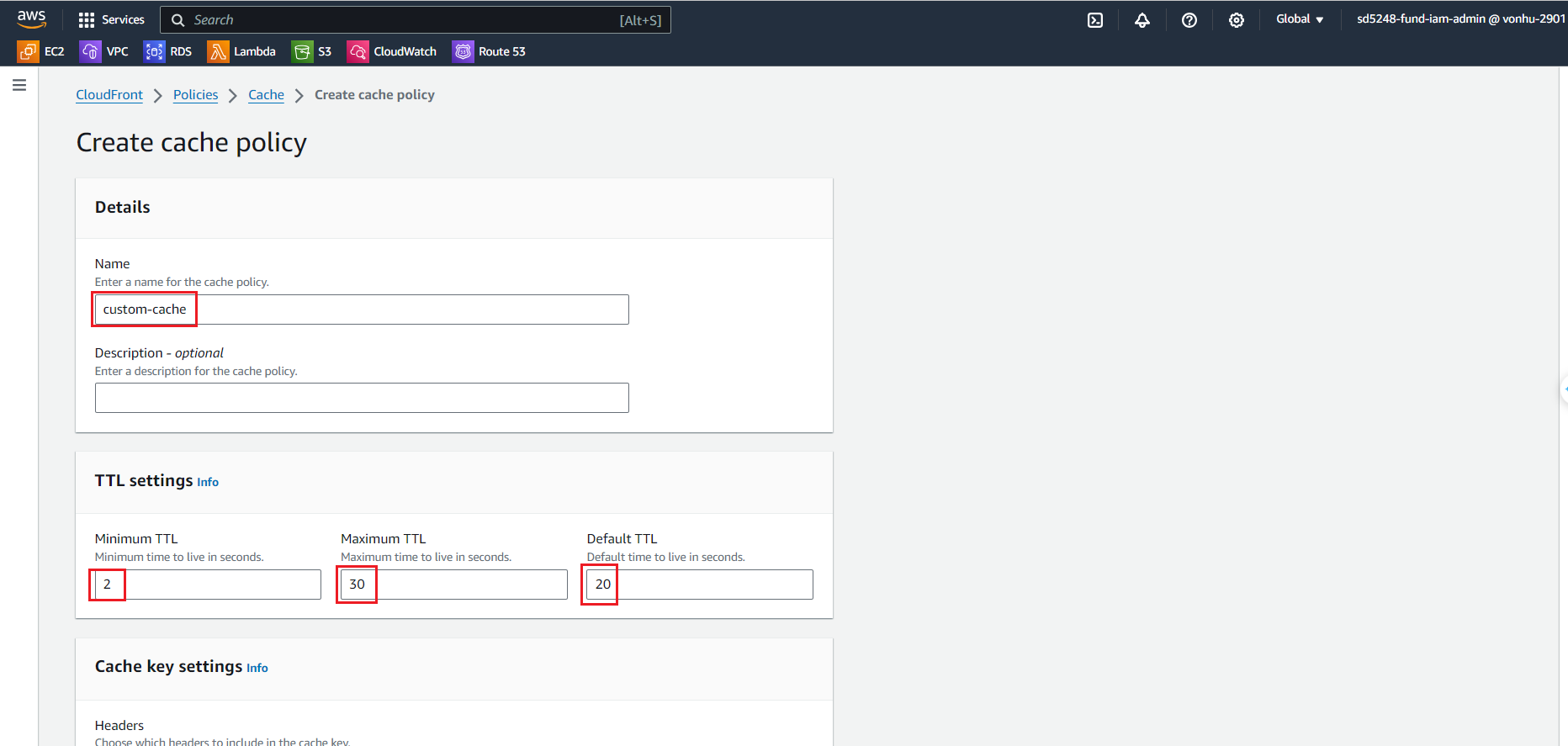
- At the Create cache policy page. Fill the information in the form
- At the Name field, enter
custom-cache - At the Minimum TTL, Maximum TTL, Default TTL enter
2,30,20 - Leave everything as default
- Click “Create” button
Create Behavior
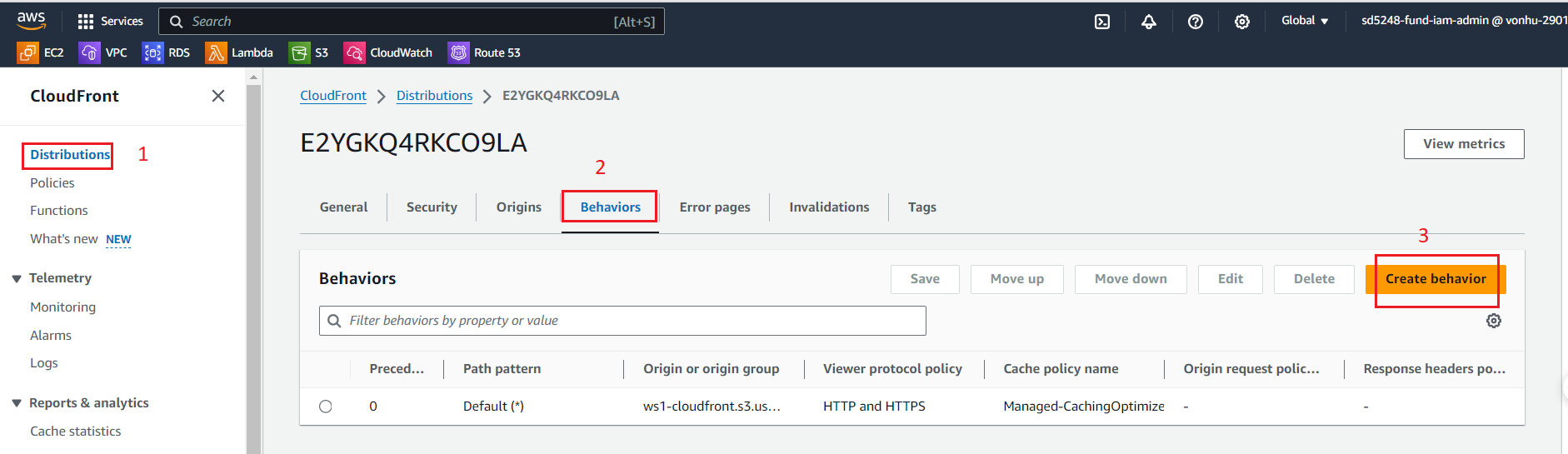
- Click on Distribution.
- Click on the Behavior tab.
- Click on Create behavior.
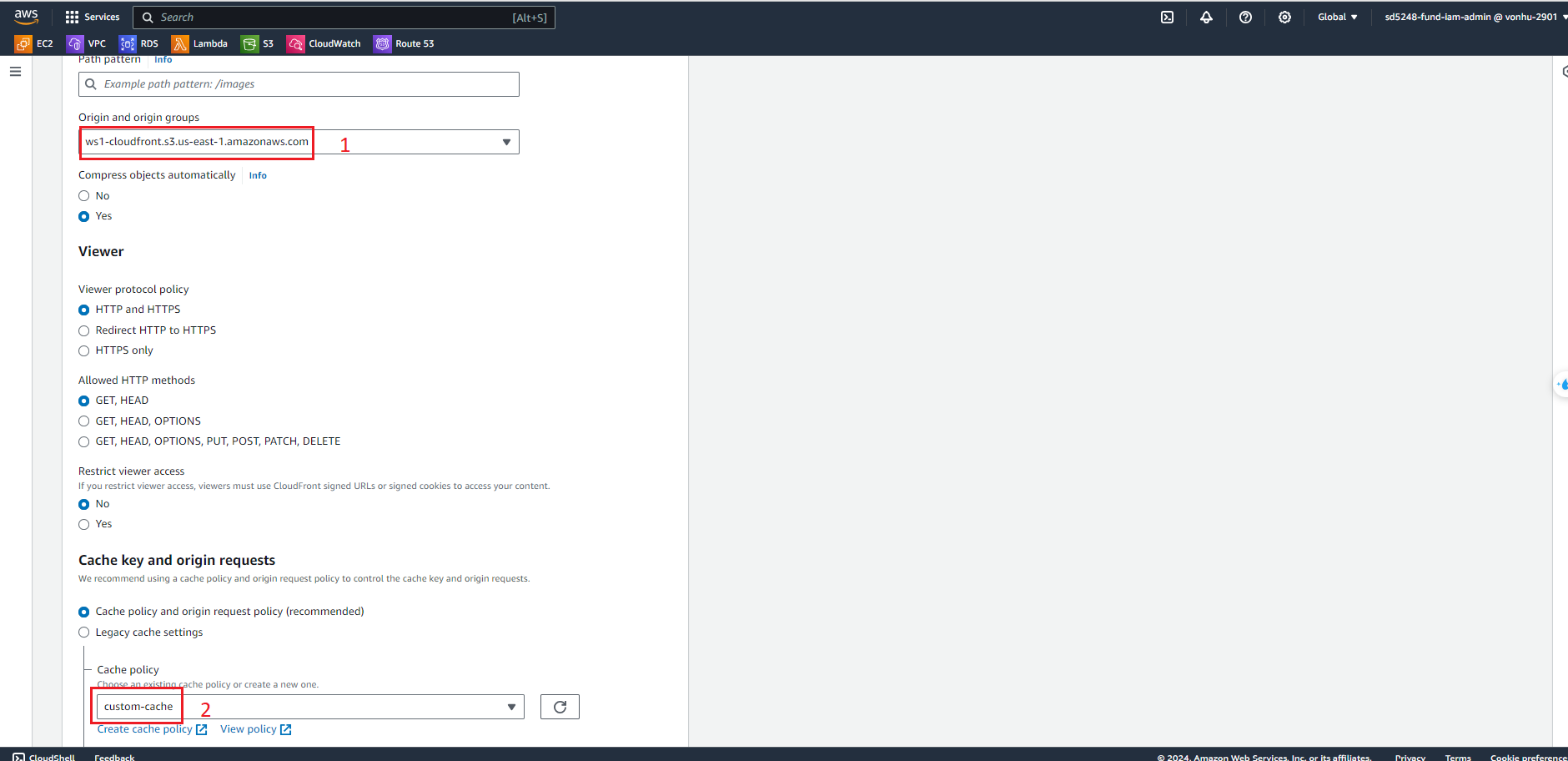
- At the Create behavior page. Fill the information in the form
- Click on Path pattern enter
*.html - Click on Origin and origin groups select S3 bucket and Cache key and origin requests select custom-cache
- Leave everything as default
- Click on “Create behavior” button
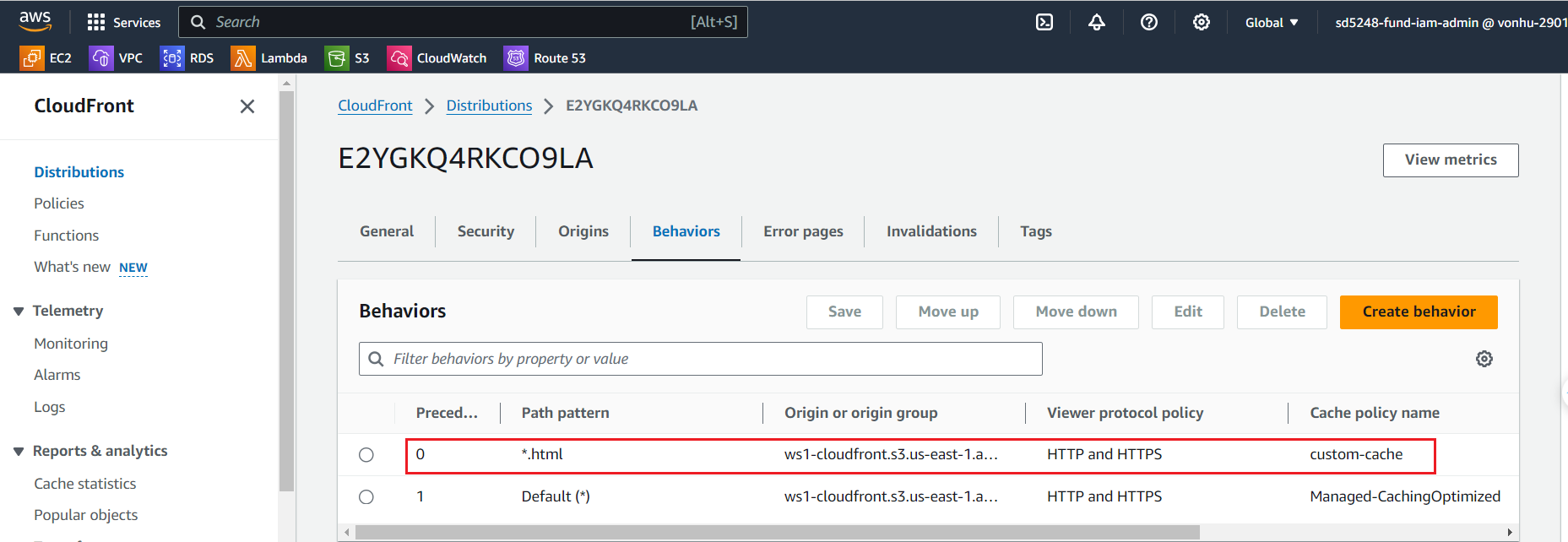
After 20 seconds, CloudFront will display new content (by default of AWS 24 hours -> change to 20 seconds)