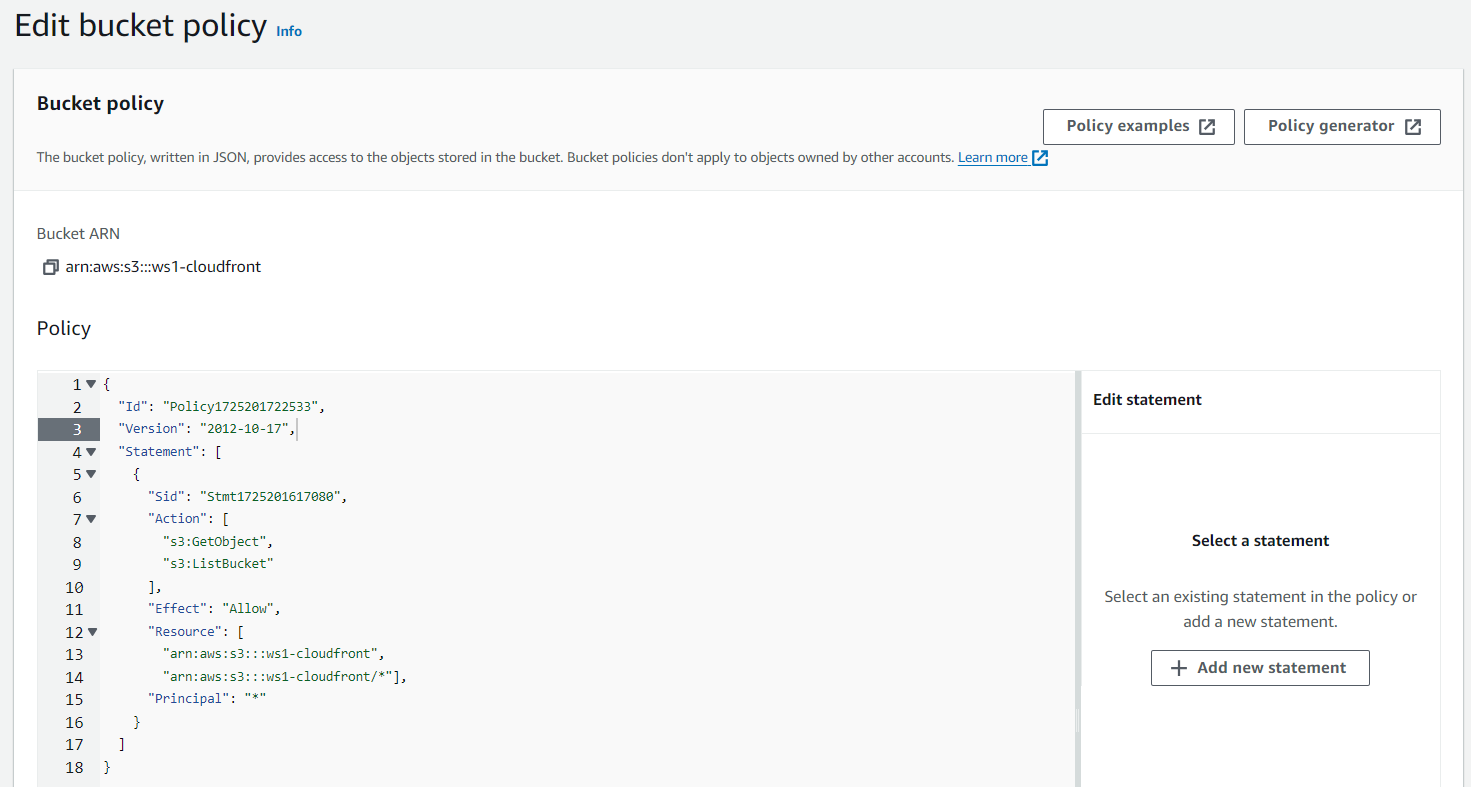
Grant read access
Grant read access to everyone
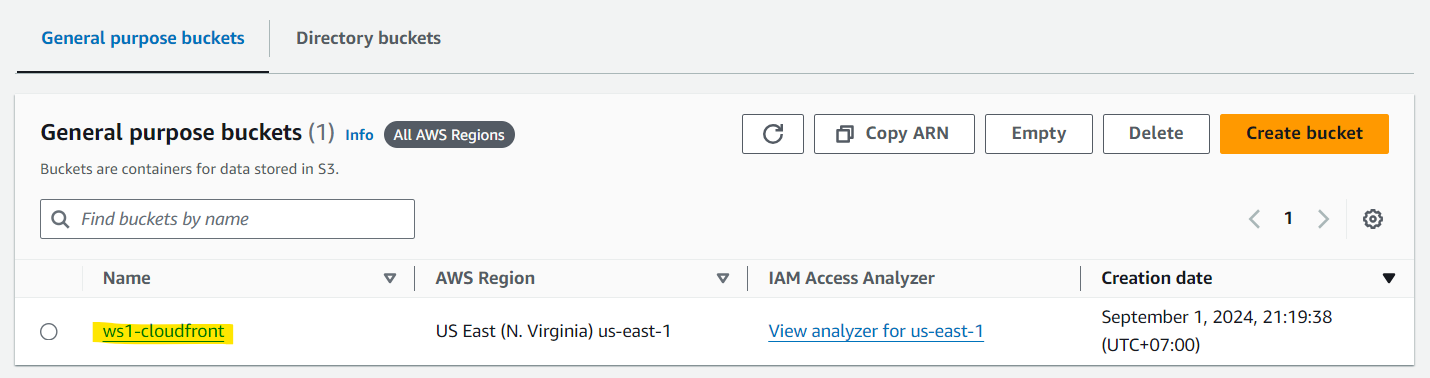
- Click on Bucket
- Click on the previous ws1-cloudfront bucket.
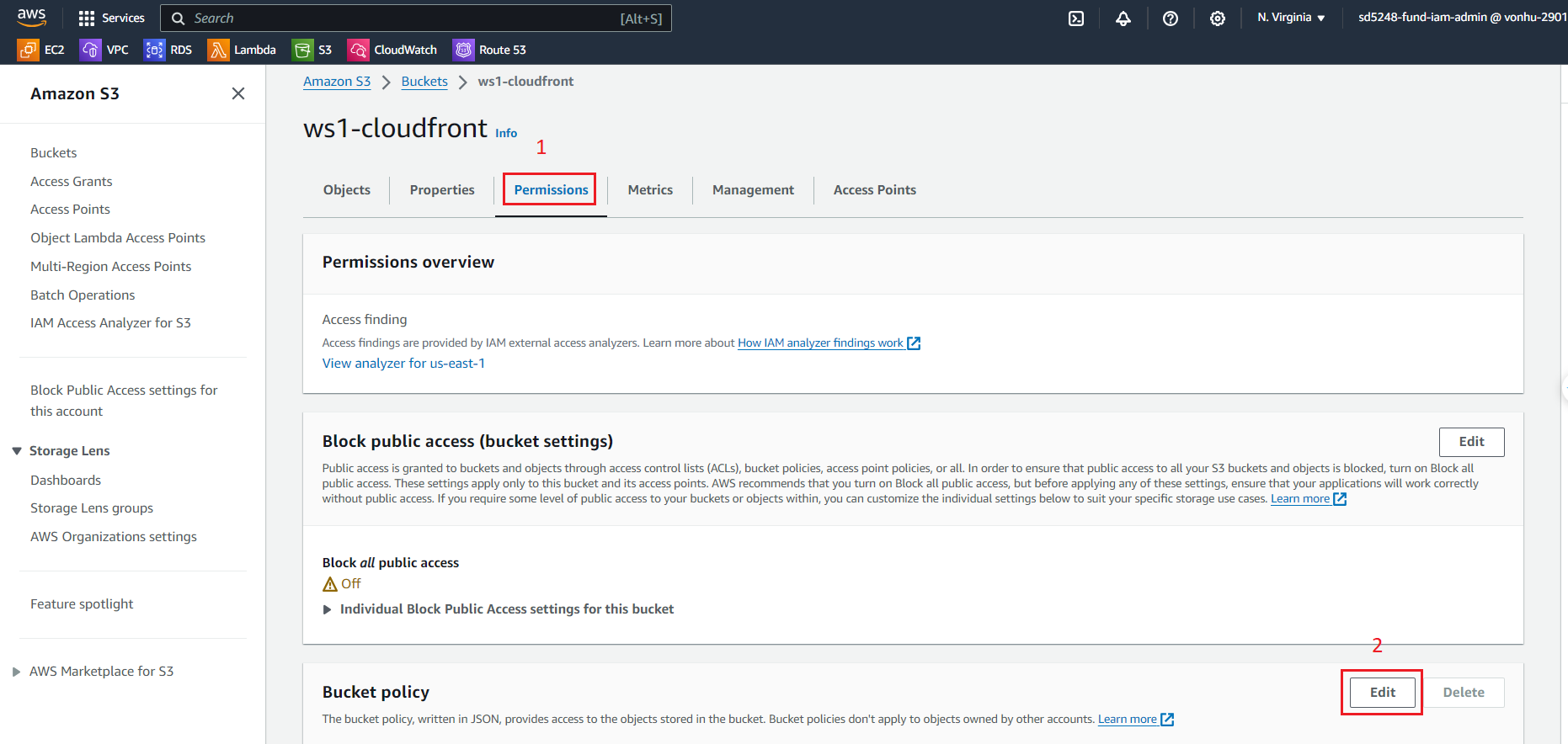
- At the ws1-cloudfront page
- Choose Permissions tab.
- Scroll to Bucket policy and choose “Edit” button.
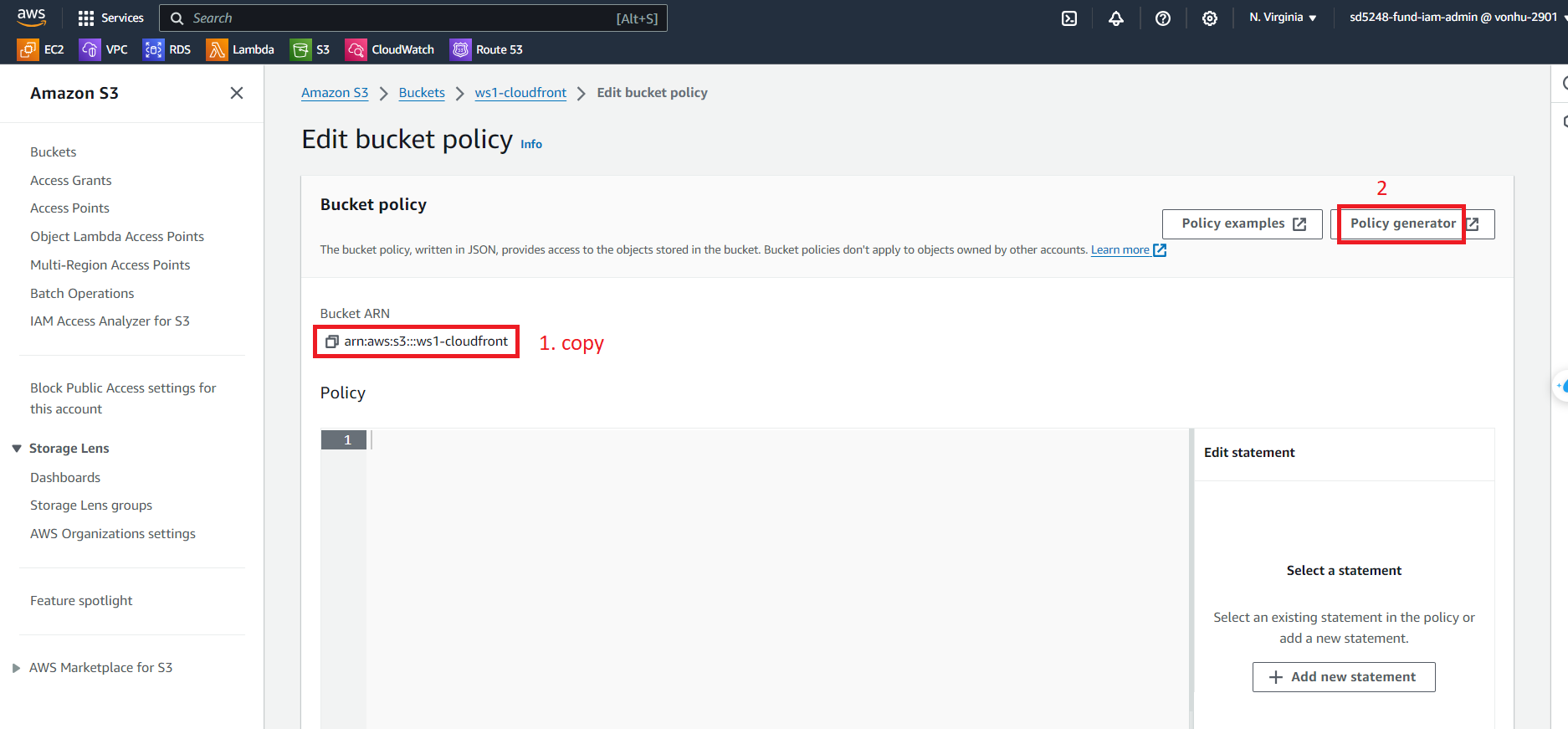
- At the Edit bucket policy page
- Copy Bucket ARN to paste on Generator
- Click Policy generator to generate a policy.
- At the AWS Policy Generator page
- Fill the information in the form as below.
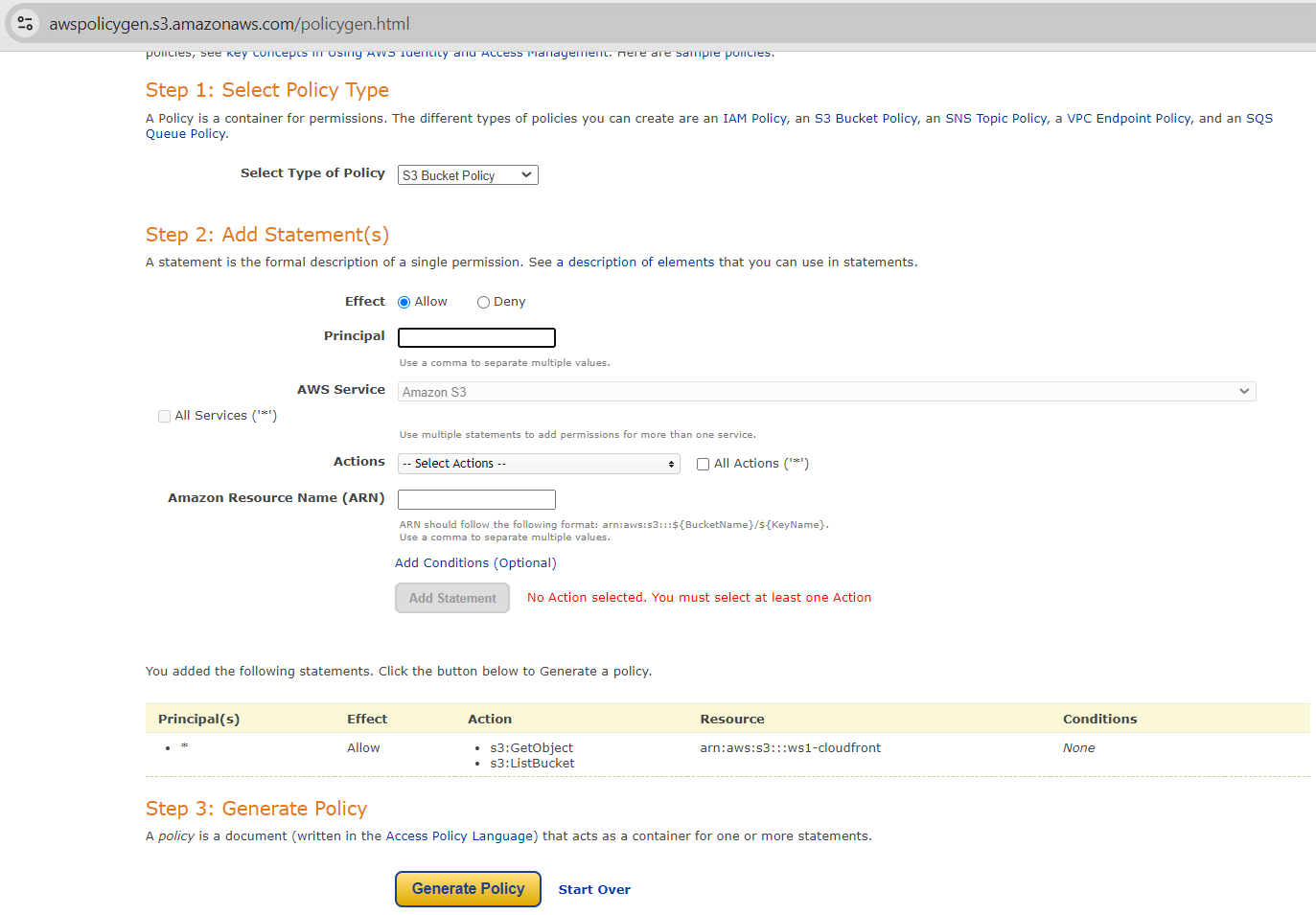
- Choose “Generate” button then will display a pop-up with policy and copy them.
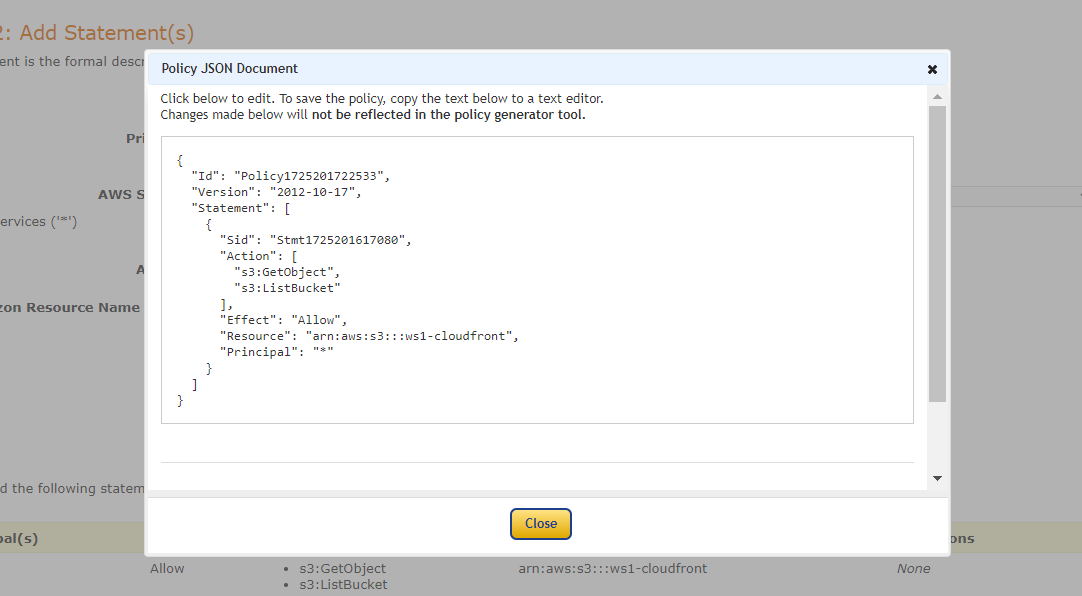
Add a more statement arn:aws:s3:::ws1-cloudfront/* on script as below
{
  "Id": "Policy1725252919233",
  "Version": "2012-10-17",
  "Statement": [
    {
      "Sid": "Stmt1725252905058",
      "Action": [
        "s3:GetObject",
        "s3:ListBucket"
      ],
      "Effect": "Allow",
      "Resource": [
        "arn:aws:s3:::ws1-cloudfront",
        "arn:aws:s3:::ws1-cloudfront/*"
      ],
      "Principal": "*"
    }
  ]
}
- Back to the Edit bucket policy page
- Paste that policy
- Click Save changes to save information.