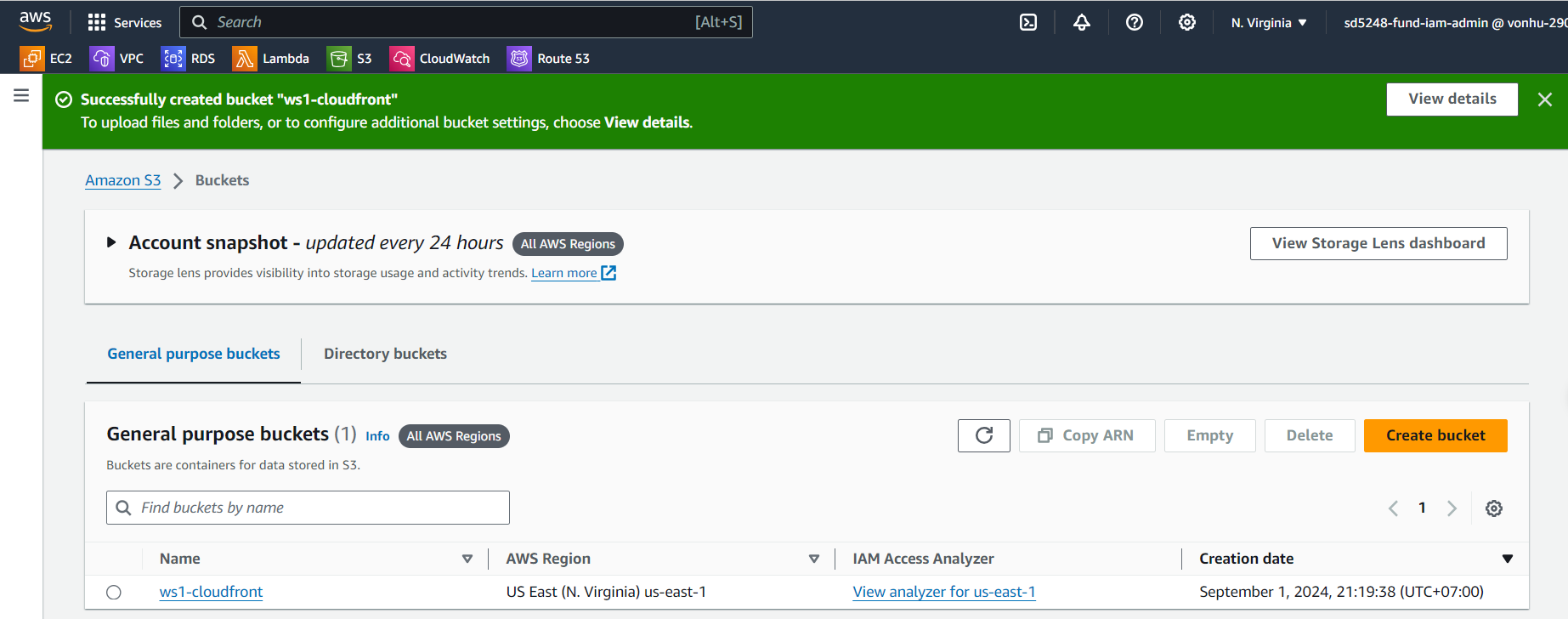
Create S3
Create S3
Go to S3 service management console
- Click Buckets.
- Click Create bucket.

At the Create S3 page. Fill information required in “Create bucket” form
- In the Bucket name field, enter
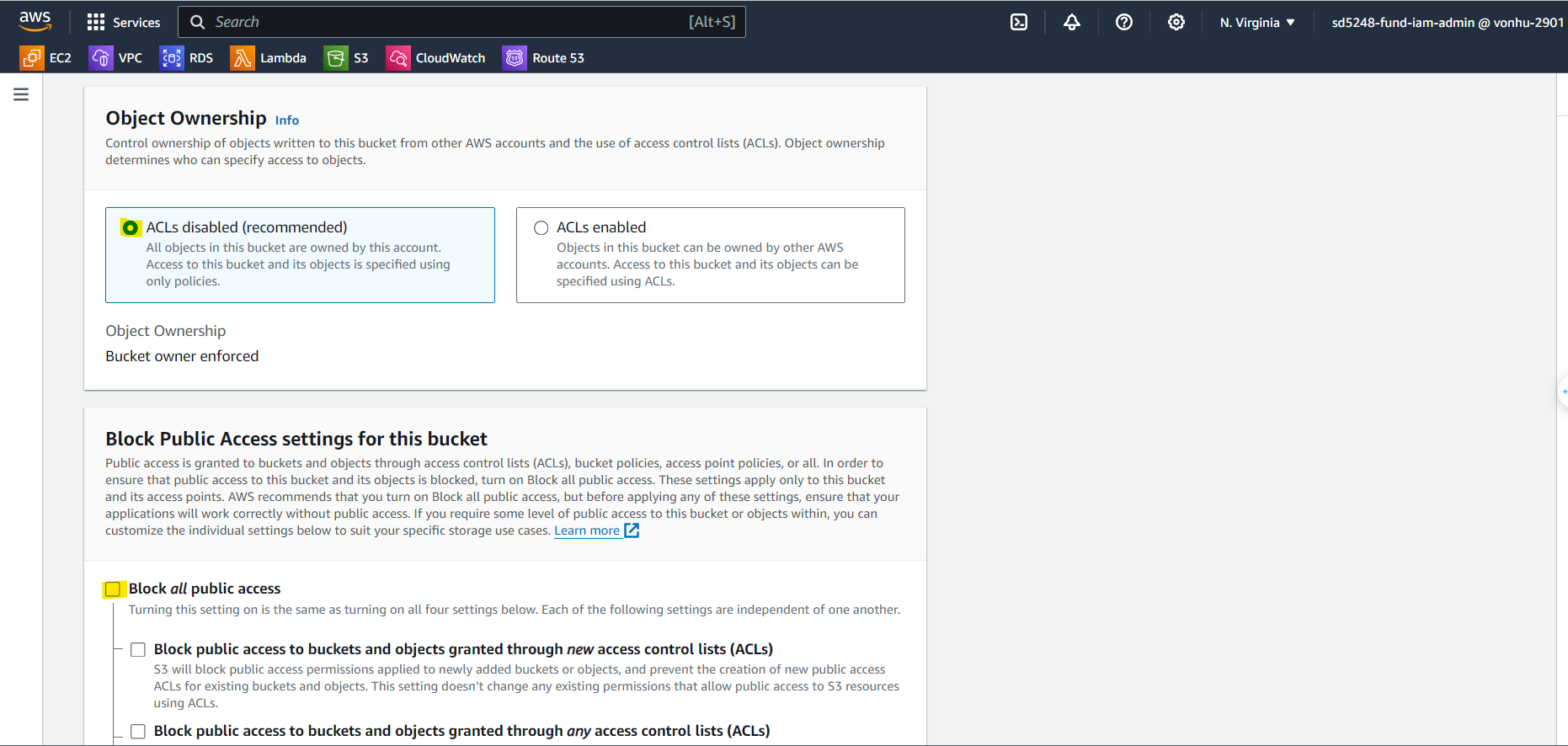
ws1-cloudfront. - In the Object Ownership field, choose ACLs disabled.
- Untick Block all public access.
- Tick on warning box to confirm allow public access.
I acknowledge that the current settings might result in this bucket and the objects within becoming public
- Click on Create bucket button to create it.
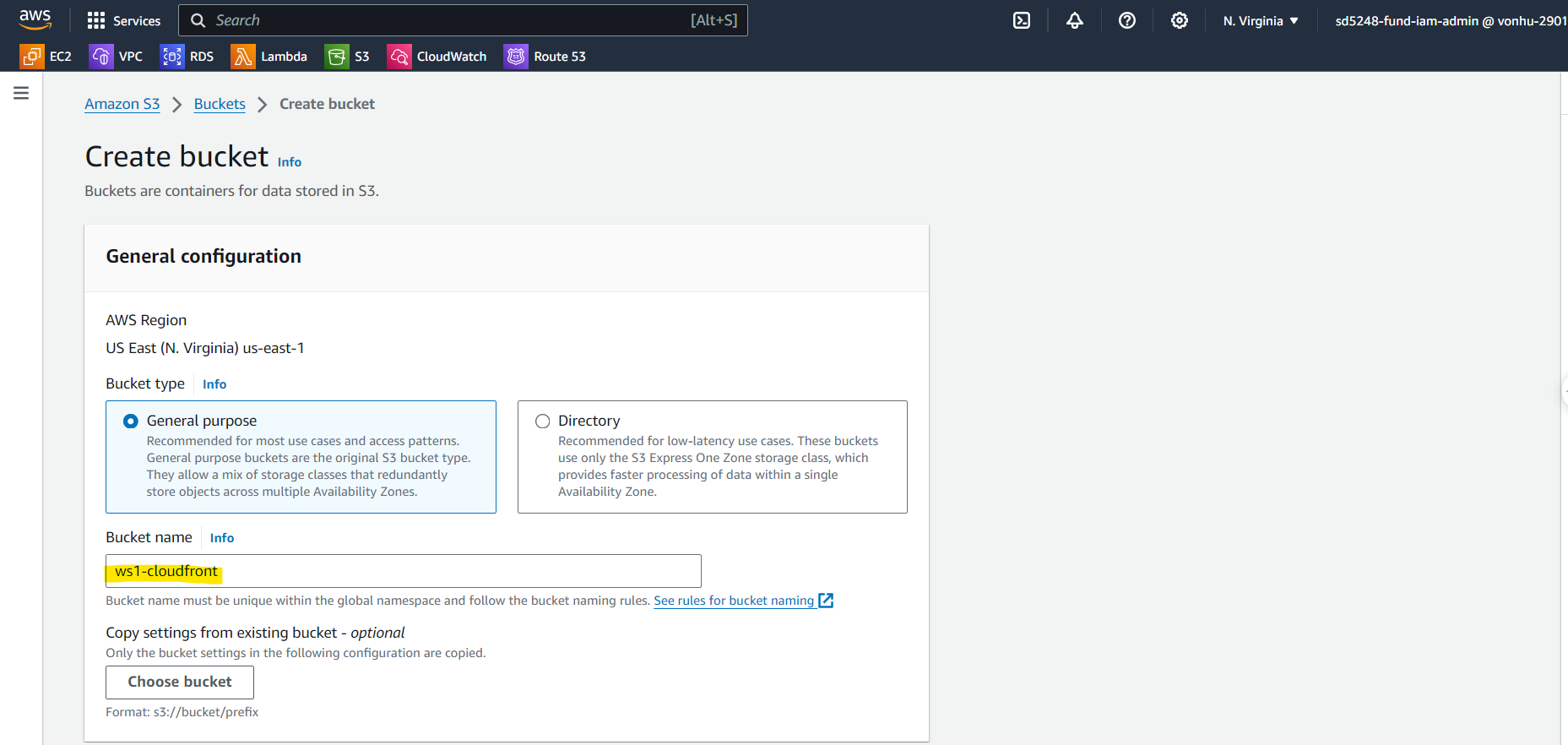
- In the Bucket name field, enter
Create successfully